 Blood Pressure journal · iPhone and Android
My Blood Pressure Journal
Log blood pressure and pulse in seconds, see every reading sorted into its AHA category, and watch your trend against your goal.
$4.99 once. No subscription, no ads, no account.


See it in action
Real screens from the app.
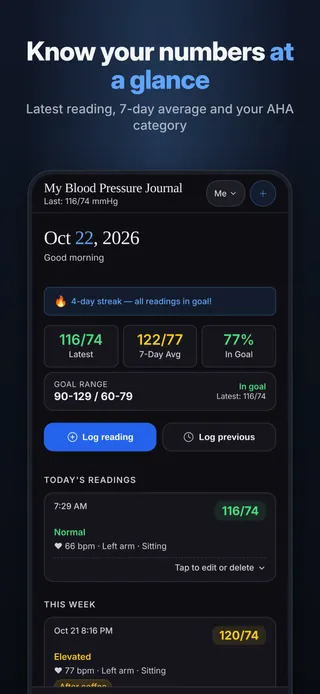
Know your numbers at a glanceLatest reading, 7-day average and your AHA category 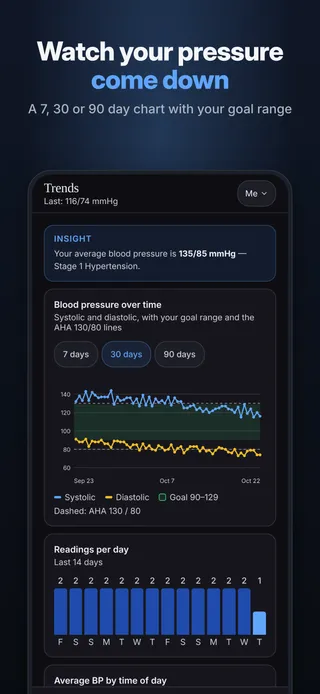
Watch your pressure come downA 7, 30 or 90 day chart with your goal range 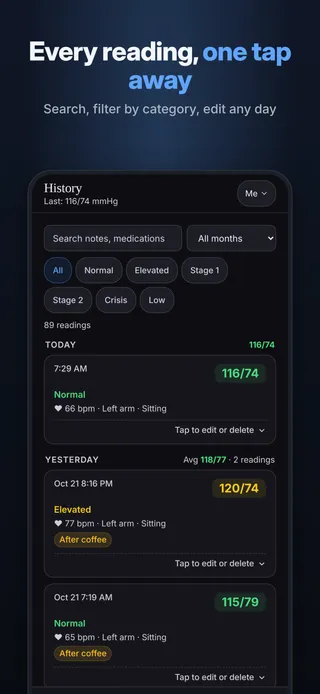
Every reading, one tap awaySearch, filter by category, edit any day 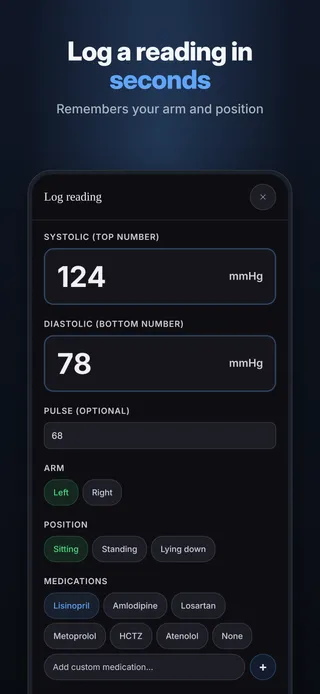
Log a reading in secondsRemembers your arm and position 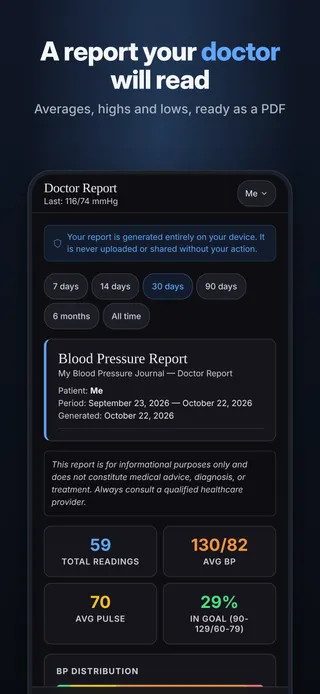
A report your doctor will readAverages, highs and lows, ready as a PDF 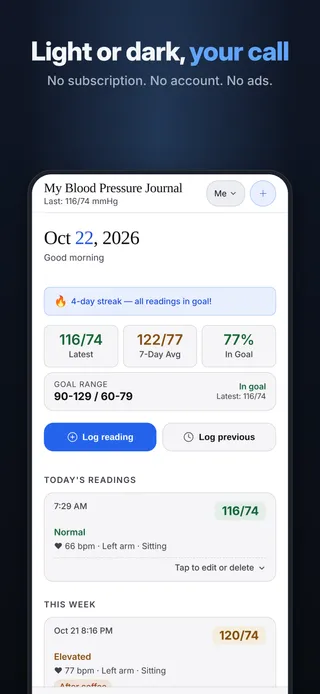
Light or dark, your callNo subscription. No account. No ads.
Everything included for $4.99.
Log in seconds
Systolic, diastolic and pulse, plus arm, position, medications and symptoms. It remembers your arm and position.
AHA categories
Every reading sorted from Normal to Stage 2, with a clear warning for very high readings.
Trends that make sense
7 and 30-day averages, readings by time of day, and how often you are in your goal range.
A report for your doctor
Averages, highs and lows as a PDF you can print, email or text.
Daily reminders
Gentle reminders at the times you choose, scheduled on your phone.
The whole family
Separate profiles for everyone on one phone.
Your data, your files
Backup and CSV export whenever you want.
Light or dark
Pick the look that is easiest on your eyes.
Your entries never leave your phone unless you share them.
- Stays on your phoneEverything you log is saved on your device only.
- No accountNo sign-up, no email, no password.
- No ads, no trackingNo analytics and no advertising inside the app.
- Works offlineNo internet connection needed to log or review.
- You decide what to shareReports and exports go only where you send them.
Questions
Is it a subscription?
No. You pay $4.99 once in the App Store or Google Play and every feature is yours. There is no subscription, nothing else to buy, and no ads.
Where is my data stored?
Only on your phone, inside the app. There is no account and no cloud sync, and nothing you enter is sent to us or to anyone else.
Does it need internet?
No. The app works fully offline. You only need a connection to download it, or to send a report or backup by email or text if you choose to.
Can I share it with my doctor?
Yes. Create a report in the app and save it as a PDF, print it, or send it by email or text. You choose who gets it. You can also export your entries as a CSV file.
Can my family use it?
Yes. Add a profile for each person on the same phone. Each profile keeps its own entries, and you switch between them in a tap.
What happens if I get a new phone?
Your entries live only on your phone and are not synced anywhere, so you move them yourself. On the old phone, open Settings, tap Backup (JSON), and save the file somewhere you can reach from the new phone, such as your files app, a cloud drive, or an email to yourself. On the new phone, install the app, open Settings, tap Restore from backup and pick the file. A backup holds the profile you are using, so make one for each profile. Restoring replaces the entries in the profile you restore into, so restore into a new, empty profile.
How do I get help?
Email chef@thenewsbakery.com. Tell us which app you use and what happened, and we will get back to you. More answers are on the support page.
This app is a log, not a medical device. Always follow your doctor's advice.


