 Migraine journal · iPhone and Android
My Migraine Journal
Every feature included, forever. Log an attack in seconds, even mid-attack, and bring your neurologist a clean report.
$4.99 once. No subscription, no ads, no account.


See it in action
Real screens from the app.
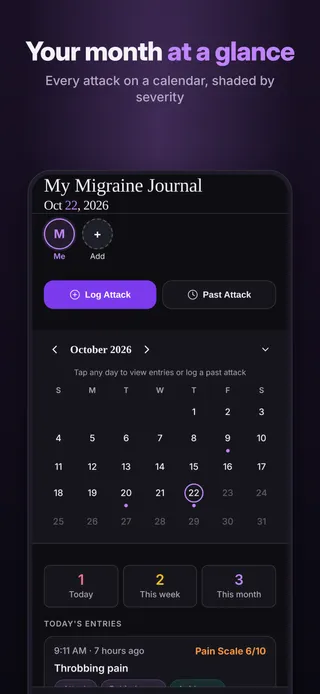
Your month at a glanceEvery attack on a calendar, shaded by severity 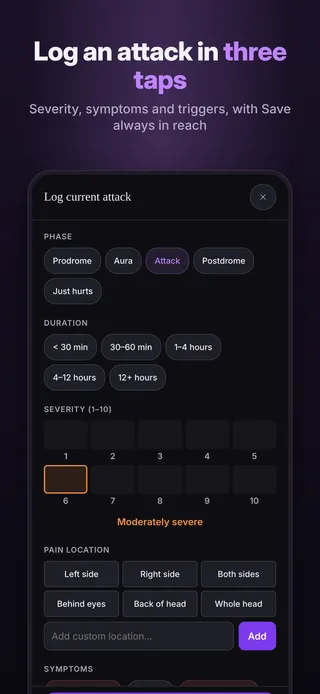
Log an attack in three tapsSeverity, symptoms and triggers, with Save always in reach 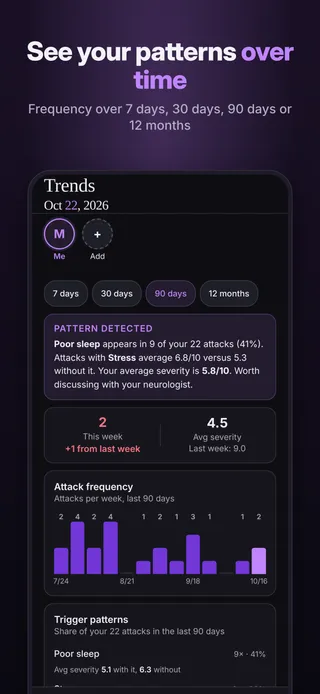
See your patterns over timeFrequency over 7 days, 30 days, 90 days or 12 months 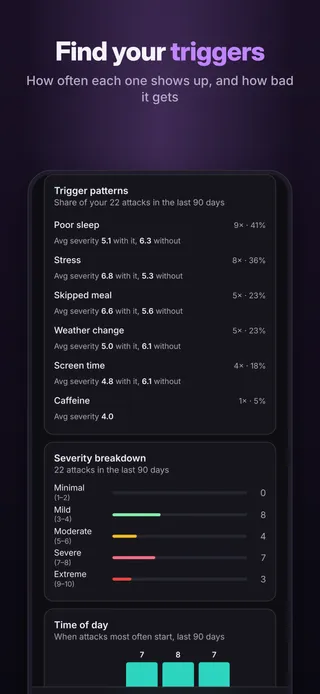
Find your triggersHow often each one shows up, and how bad it gets 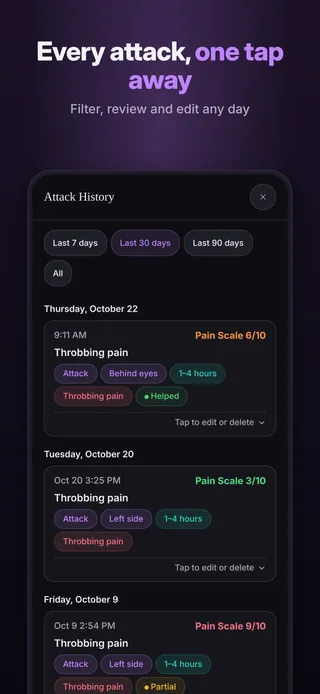
Every attack, one tap awayFilter, review and edit any day 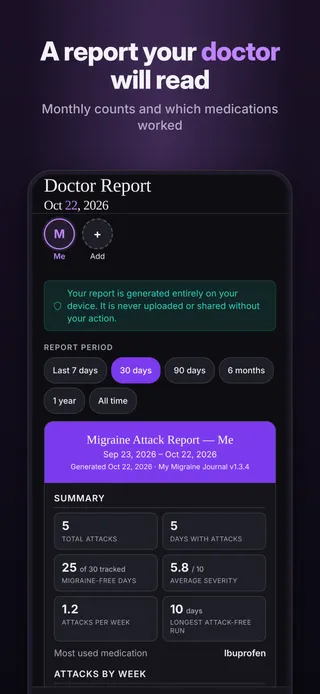
A report your doctor will readMonthly counts and which medications worked 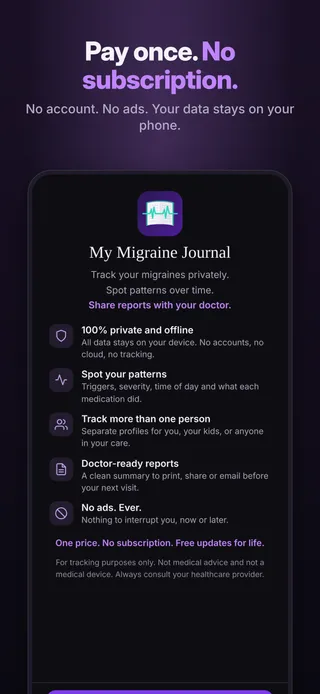
Pay once. No subscription.No account. No ads. Your data stays on your phone.
Everything included for $4.99.
Log mid-attack
Phase, severity, duration, location, symptoms and triggers in a few taps, with Save always in reach.
What you took
Record each medication and whether it helped.
Your month on a calendar
Migraine-free days and a month view shaded by severity. Tap any day to log for it.
Find your patterns
Attack frequency, time of day, top triggers and medication results over time.
A report for your doctor
Monthly counts and which medications worked, as a PDF you can print, email or text.
Daily reminder
A reminder at the time you choose, scheduled on your phone.
The whole family
Separate profiles for everyone on one phone.
Your data, your files
Backup and CSV export whenever you want.
Your entries never leave your phone unless you share them.
- Stays on your phoneEverything you log is saved on your device only.
- No accountNo sign-up, no email, no password.
- No ads, no trackingNo analytics and no advertising inside the app.
- Works offlineNo internet connection needed to log or review.
- You decide what to shareReports and exports go only where you send them.
Questions
Is it a subscription?
No. You pay $4.99 once in the App Store or Google Play and every feature is yours. There is no subscription, nothing else to buy, and no ads.
Where is my data stored?
Only on your phone, inside the app. There is no account and no cloud sync, and nothing you enter is sent to us or to anyone else.
Does it need internet?
No. The app works fully offline. You only need a connection to download it, or to send a report or backup by email or text if you choose to.
Can I share it with my neurologist?
Yes. Create a report in the app and save it as a PDF, print it, or send it by email or text. You choose who gets it. You can also export your entries as a CSV file.
Can my family use it?
Yes. Add a profile for each person on the same phone. Each profile keeps its own entries, and you switch between them in a tap.
What happens if I get a new phone?
Your entries live only on your phone and are not synced anywhere, so you move them yourself. On the old phone, open Settings, tap Backup (JSON), and save the file somewhere you can reach from the new phone, such as your files app, a cloud drive, or an email to yourself. On the new phone, install the app, open Settings, tap Restore from backup and pick the file. A backup holds every profile in the app. Restoring a full backup replaces all the data currently in the app, so do it on the new phone before you start logging there.
How do I get help?
Email chef@thenewsbakery.com. Tell us which app you use and what happened, and we will get back to you. More answers are on the support page.
This app is a diary, not a medical device. Always follow your doctor's advice.


