 Pain journal · iPhone and Android
My Pain Journal
Tap where it hurts on the body map, log how bad it is and what helps, and see your patterns on a pain heat map. Hand your doctor a clear PDF.
$4.99 once. No subscription, no ads, no account.


See it in action
Real screens from the app.
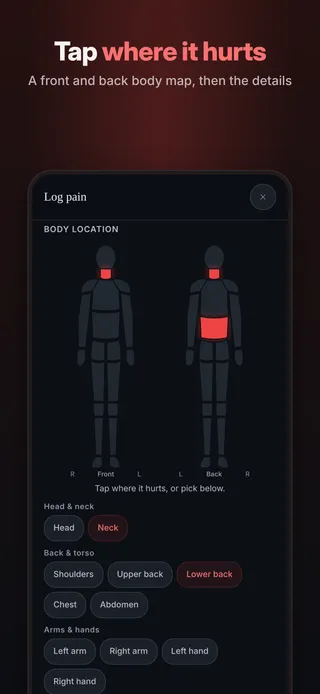
Tap where it hurtsA front and back body map, then the details 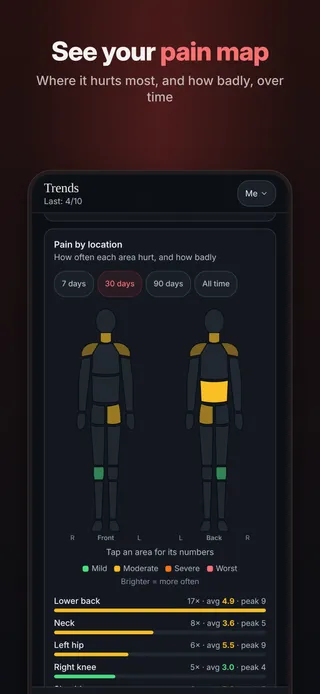
See your pain mapWhere it hurts most, and how badly, over time 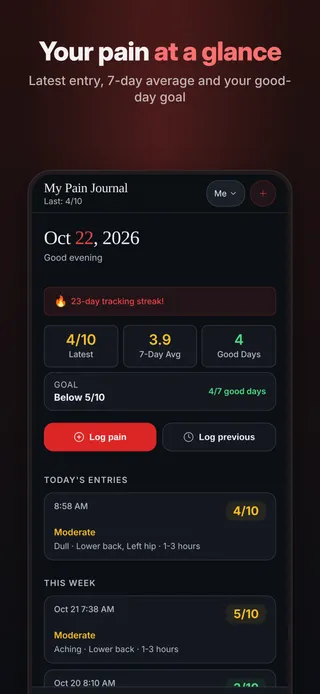
Your pain at a glanceLatest entry, 7-day average and your good-day goal 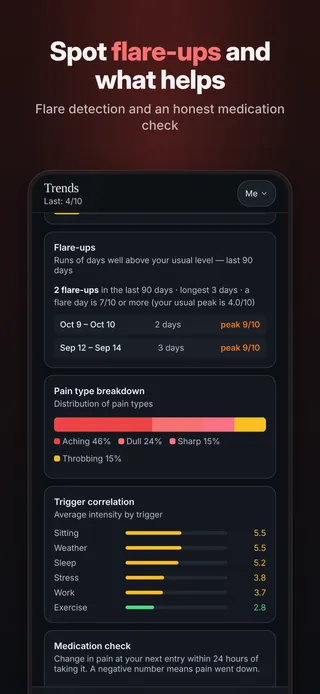
Track flare-ups and what you log alongside themFlare-day tracking and a medication log: what you took and how you felt after 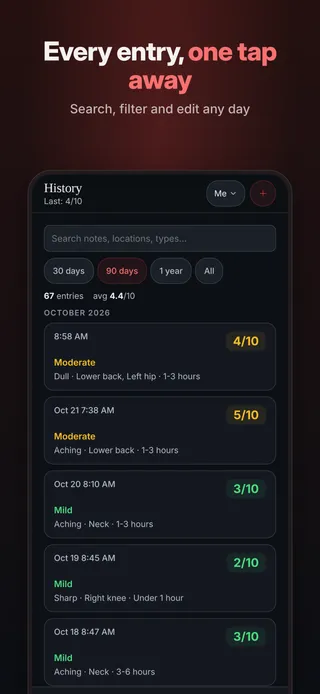
Every entry, one tap awaySearch, filter and edit any day 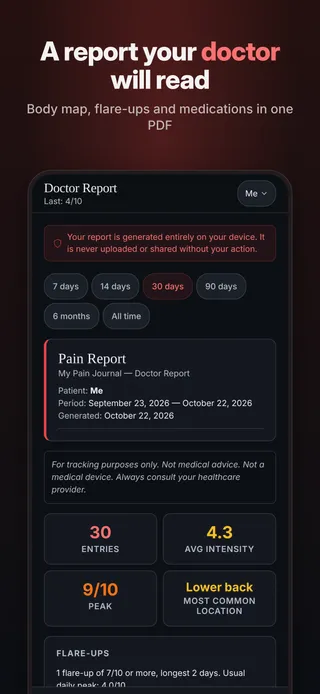
A report your doctor will readBody map, flare-ups and medications in one PDF 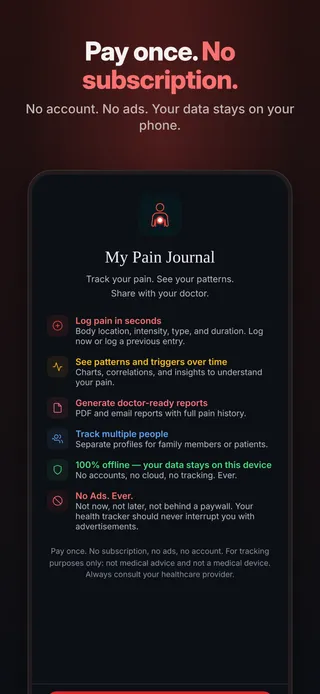
Pay once. No subscription.No account. No ads. Your data stays on your phone.
Everything included for $4.99.
Body map
Tap where it hurts on a front and back body map, then add the details.
Pain heat map
See where it hurts most, and how badly, over time.
The details that matter
Intensity 1 to 10, pain type, duration, triggers, medications, mood and sleep.
Make it yours
Add your own locations, triggers and medications.
Flare-ups, explained
A flare day is one at least 2 points above your usual level and at least 7 out of 10. The app groups them so you can see how often they happen.
Trends
Pain over time, pain by location, pain types, and how each trigger lines up with your pain. Patterns are not a diagnosis.
A report for your doctor
Body map, flare-ups and medications as a PDF you can print, email or text.
Reminders, profiles and backup
Daily reminders, separate profiles for the family, backup and CSV export.
Your entries never leave your phone unless you share them.
- Stays on your phoneEverything you log is saved on your device only.
- No accountNo sign-up, no email, no password.
- No ads, no trackingNo analytics and no advertising inside the app.
- Works offlineNo internet connection needed to log or review.
- You decide what to shareReports and exports go only where you send them.
Questions
Is it a subscription?
No. You pay $4.99 once in the App Store or Google Play and every feature is yours. There is no subscription, nothing else to buy, and no ads.
Where is my data stored?
Only on your phone, inside the app. There is no account and no cloud sync, and nothing you enter is sent to us or to anyone else.
Does it need internet?
No. The app works fully offline. You only need a connection to download it, or to send a report or backup by email or text if you choose to.
Can I share it with my doctor?
Yes. Create a report in the app and save it as a PDF, print it, or send it by email or text. You choose who gets it. You can also export your entries as a CSV file.
Can my family use it?
Yes. Add a profile for each person on the same phone. Each profile keeps its own entries, and you switch between them in a tap.
What happens if I get a new phone?
Your entries live only on your phone and are not synced anywhere, so you move them yourself. On the old phone, open Settings, tap Backup (JSON), and save the file somewhere you can reach from the new phone, such as your files app, a cloud drive, or an email to yourself. On the new phone, install the app, open Settings, tap Restore from backup and pick the file. A backup holds the profile you are using, so make one for each profile. Restoring replaces the entries in the profile you restore into, so restore into a new, empty profile.
How do I get help?
Email chef@thenewsbakery.com. Tell us which app you use and what happened, and we will get back to you. More answers are on the support page.
This app is a diary, not a medical device. Always follow your doctor's advice.


