 caregiver log · Coming soon to iPhone and Android
Care Binder
A private care log for the family member who looks after an aging parent: meds given, skipped or refused, falls, sleep and behavior, and a one-tap Visit Summary PDF for the doctor.
Free to try for 7 days, then $4.99 once to unlock. No subscription, no ads, no account.
See it in action
Real screens from the app.
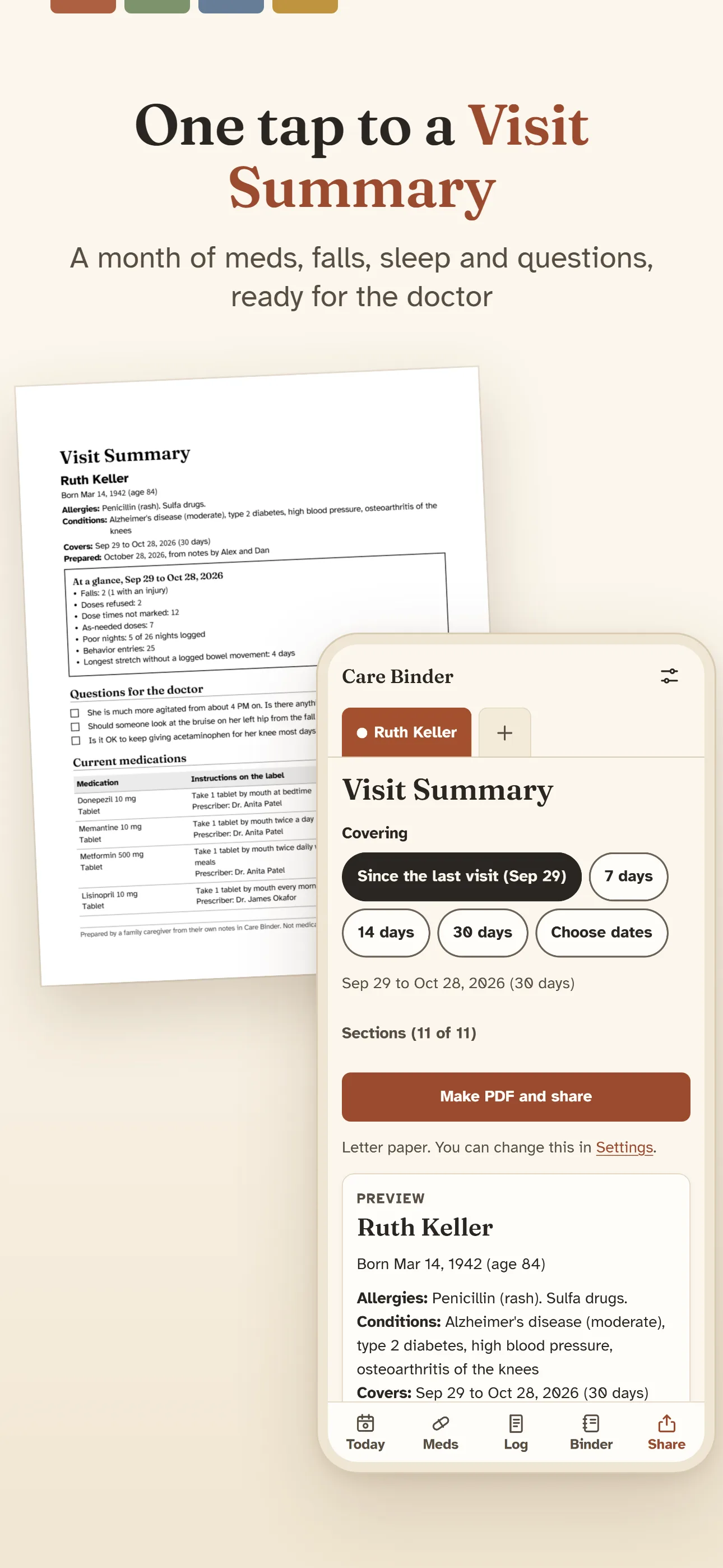
One tap to a Visit SummaryA month of meds, falls, sleep and questions, ready for the doctor 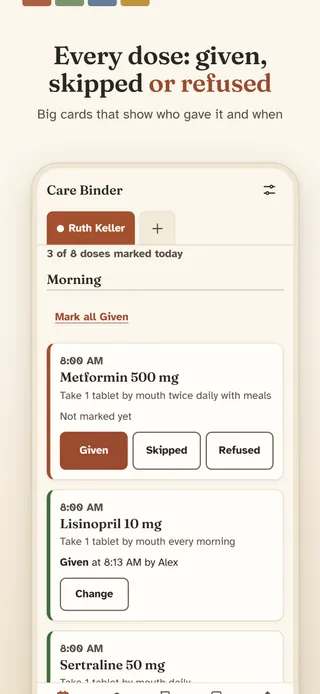
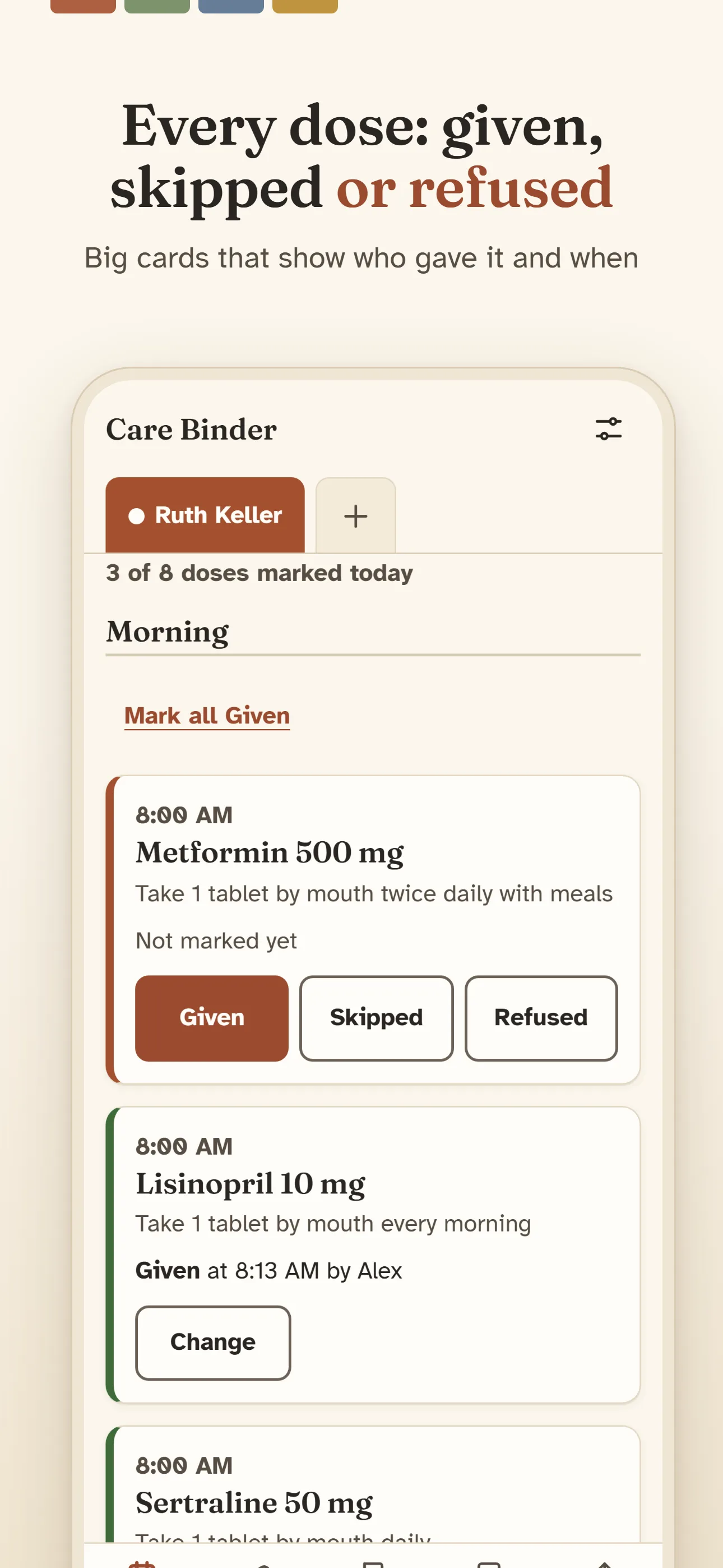
Every dose: given, skipped or refusedBig cards that show who gave it and when 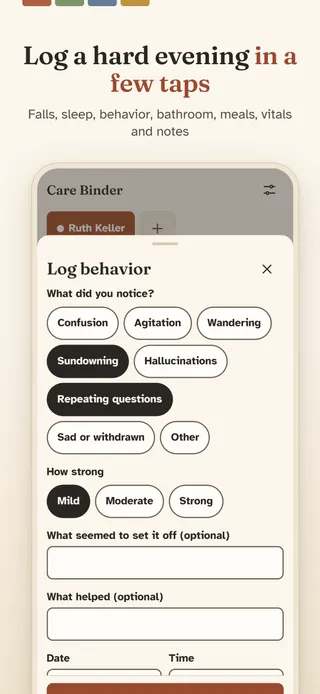
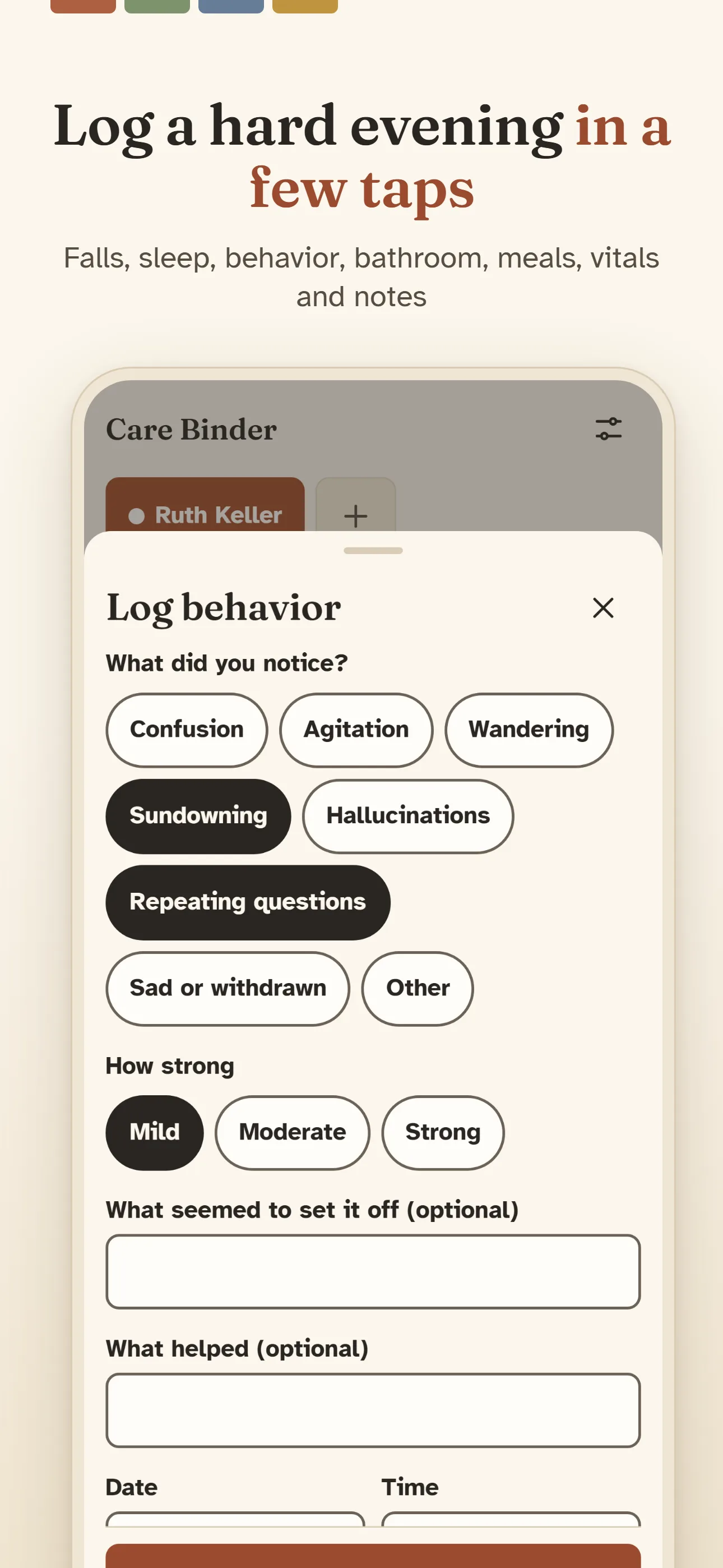
Log a hard evening in a few tapsFalls, sleep, behavior, bathroom, meals, vitals and notes 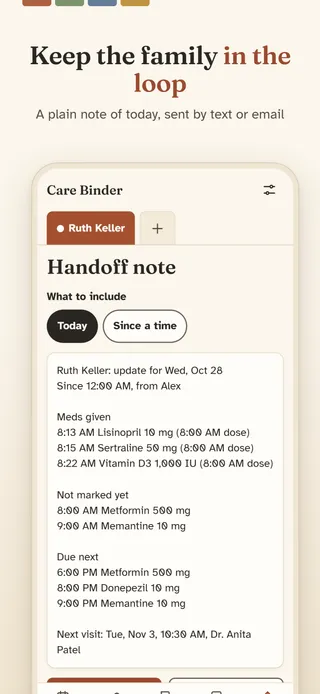
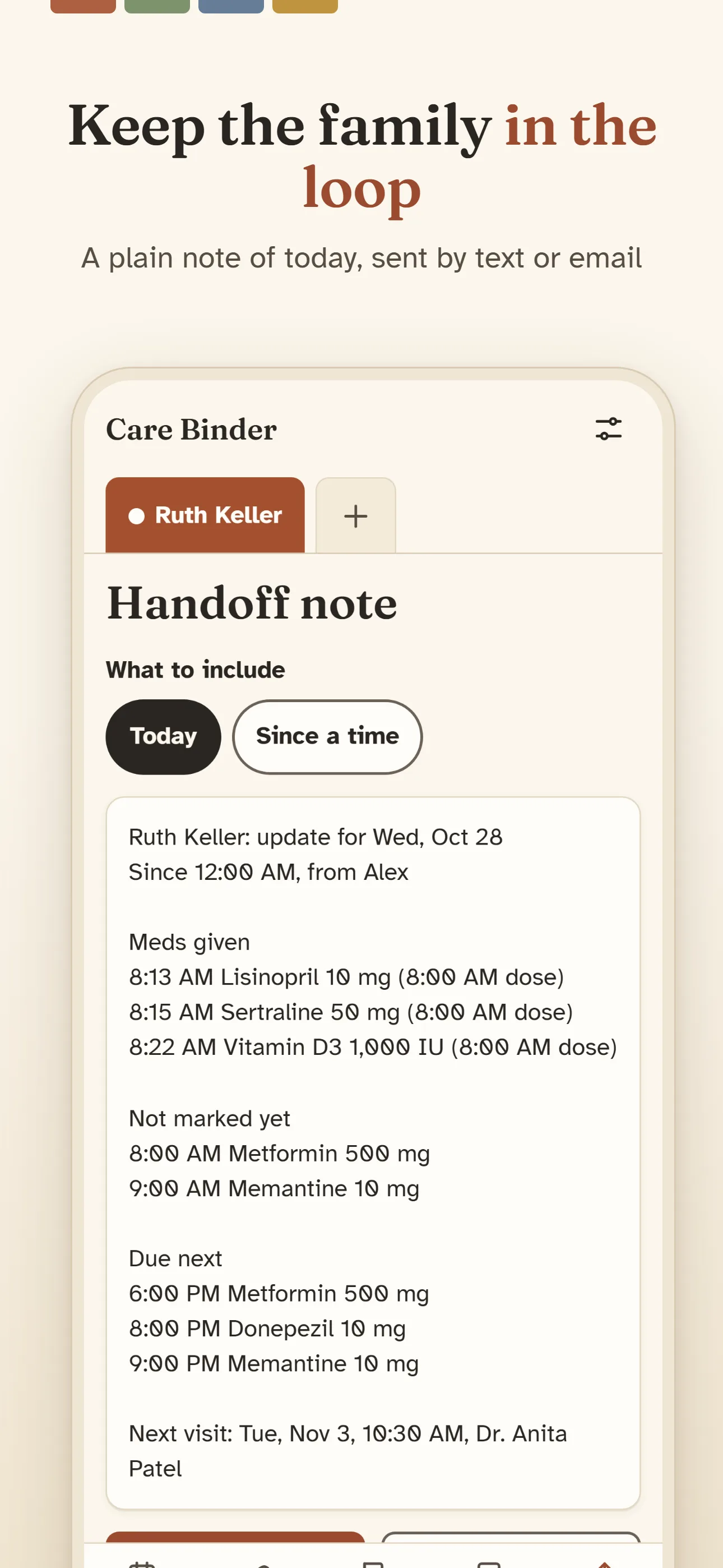
Keep the family in the loopA plain note of today, sent by text or email 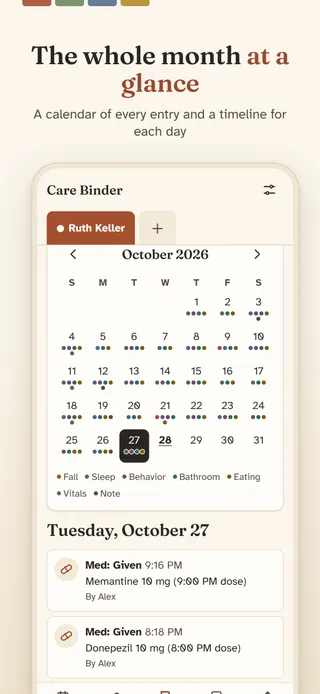
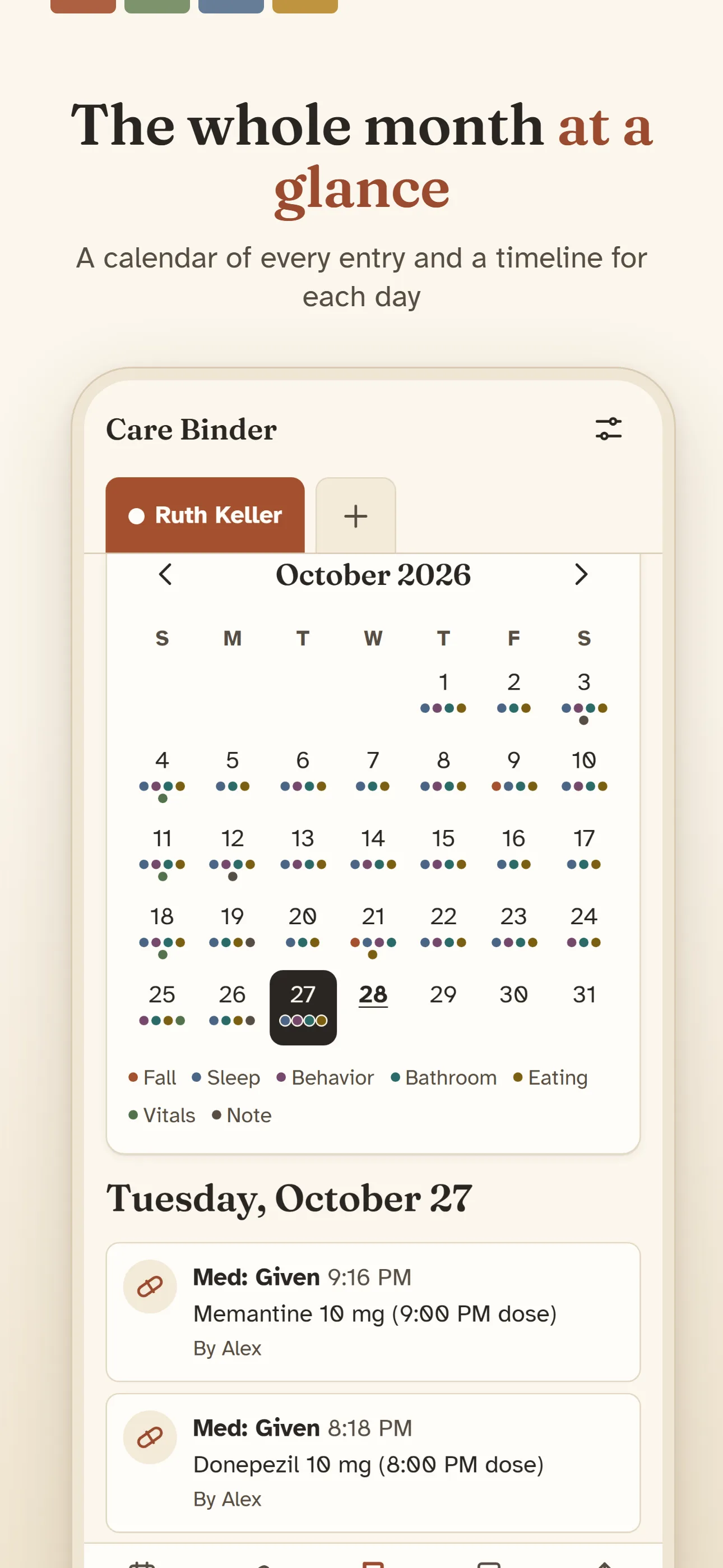
The whole month at a glanceA calendar of every entry and a timeline for each day 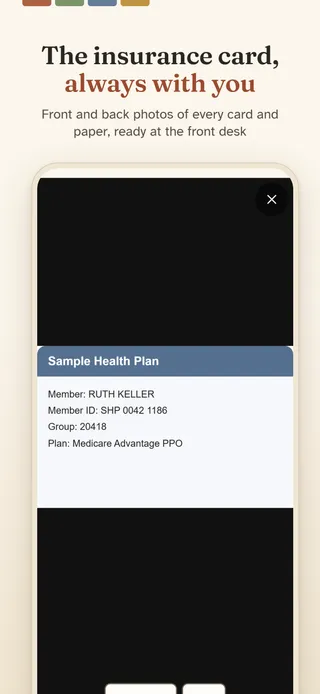
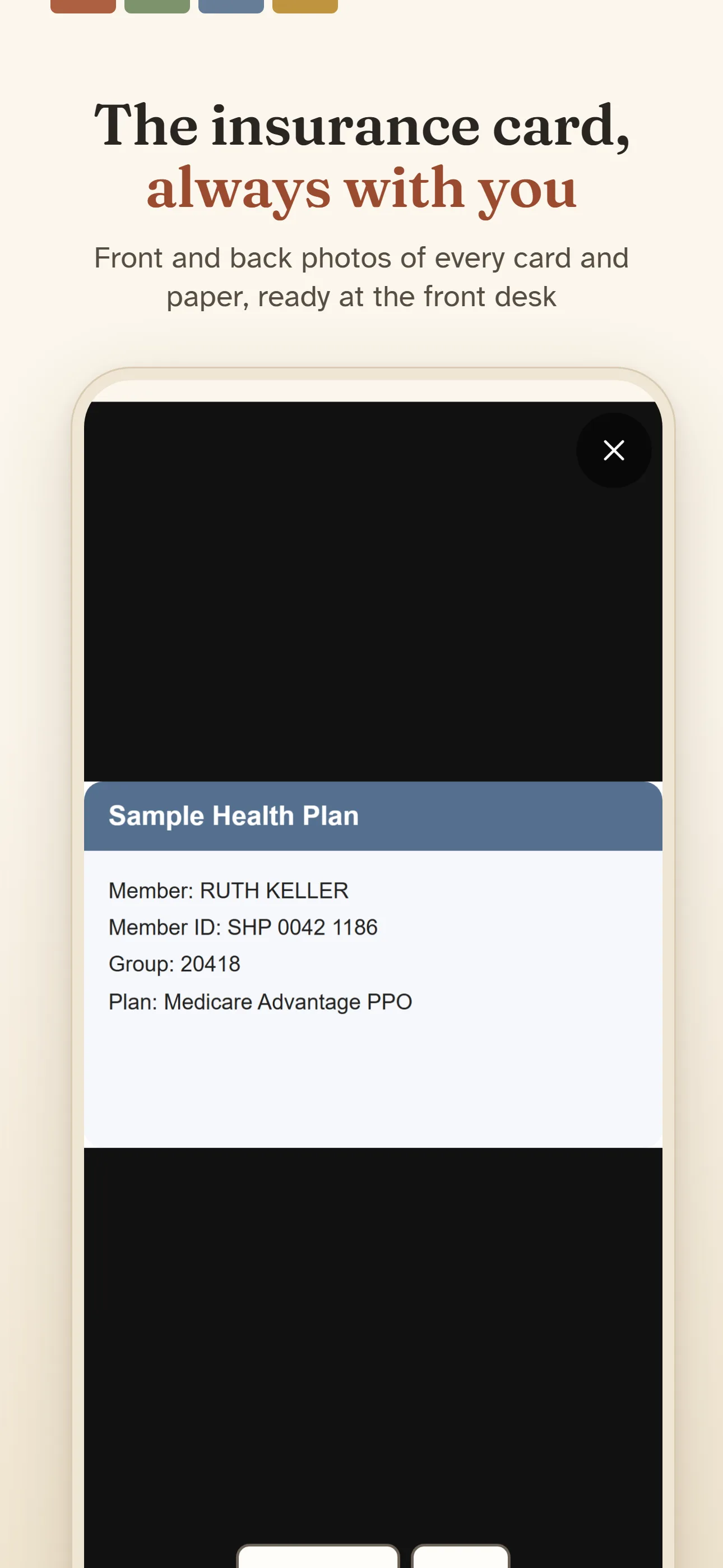
The insurance card, always with youFront and back photos of every card and paper, ready at the front desk 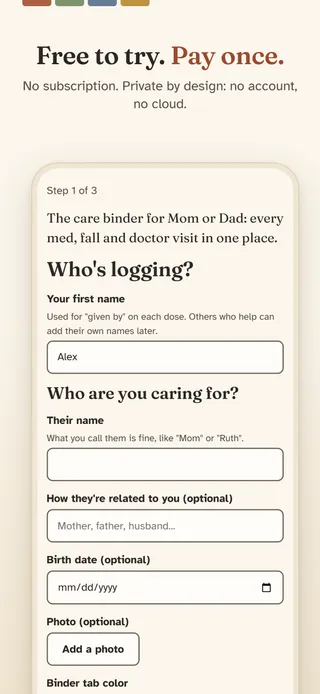
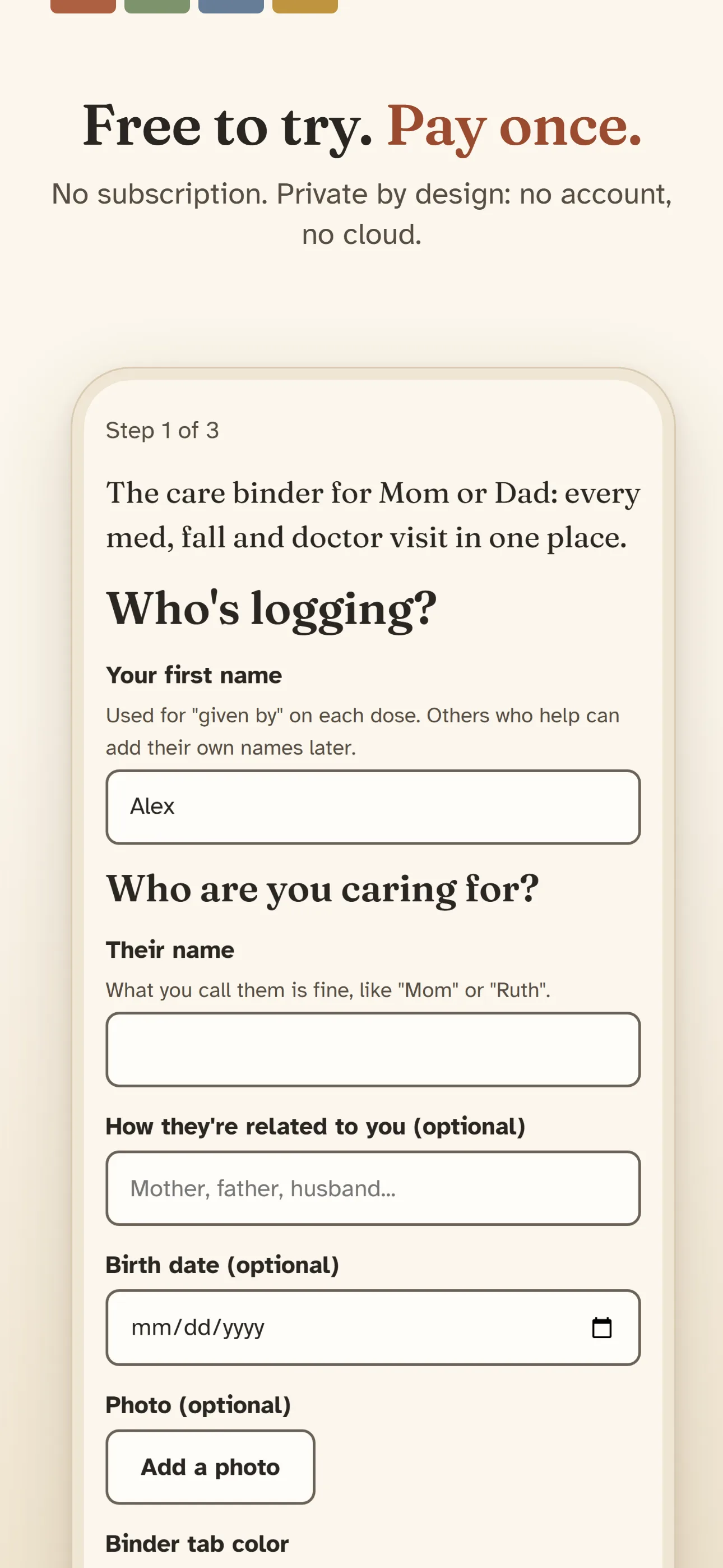
Free to try. Pay once.No subscription. Private by design: no account, no cloud.
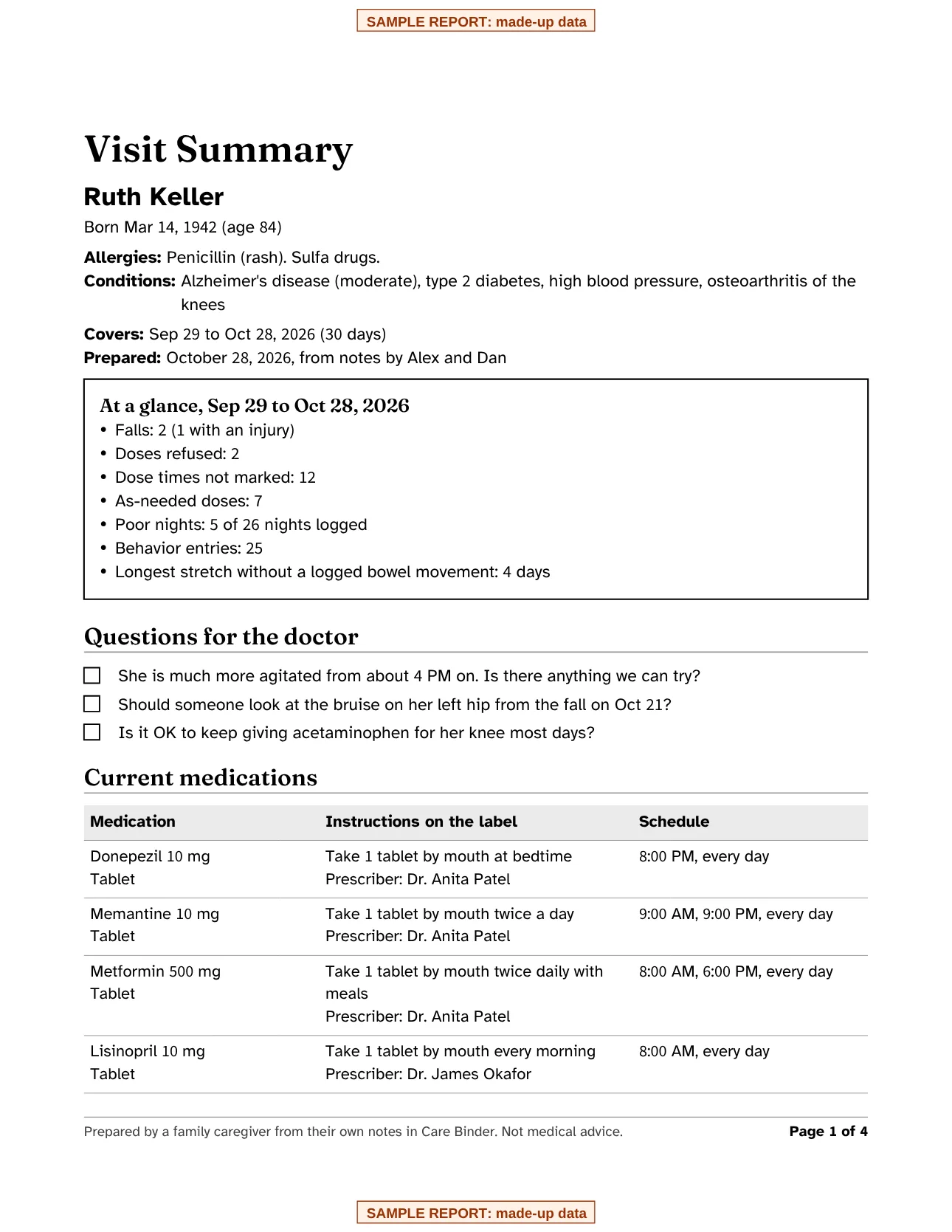
The report your doctor gets
An at-a-glance box, your questions for the doctor, current and stopped medications, doses given, skipped and refused, falls, sleep, behavior by time of day, eating, vitals and notes. Save it as a PDF, print it, or send it by email or text.
Made from sample data. Your report is made on your phone and shared only when you choose.
Everything included in the $4.99 unlock.
A Visit Summary for the doctor
One tap makes a PDF of the month: an at-a-glance box, your questions, current meds, doses, falls, sleep and behavior.
Given, skipped or refused
Big cards for every dose, with the time and who gave it. Refused is its own answer, because it happens.
Medications, unlimited
The label's own words, any schedule or as needed, refill dates and photos. Stopped meds stay in the history.
A log in a few taps
Falls, sleep, behavior and sundowning, bathroom, eating, vitals you take yourself, and notes.
A handoff note
What happened today as plain text, sent to a sibling or aide by text or email.
The binder
Contacts with one tap to call, doctor visits with questions to ask, and photos of the insurance card and papers.
More than one person
A colored binder tab for each person you care for.
Private by design
No account, no cloud, no ads. Optional app lock, and a backup file you keep yourself.
Your entries never leave your phone unless you share them.
- Stays on your phoneEverything you log is saved on your device only.
- No accountNo sign-up, no email, no password.
- No ads, no trackingNo analytics and no advertising inside the app.
- Works offlineNo internet connection needed to log or review.
- You decide what to shareReports and exports go only where you send them.
Questions
Is it a subscription?
No. Care Binder is free to download and every feature works for 7 days. After that, one $4.99 in-app purchase unlocks it for good. There is no subscription and no ads. If you don't buy it, everything you logged stays readable, reminders keep working, and you can still back up and export.
Where is my data stored?
Only on your phone, inside the app. There is no account and no cloud sync, and nothing you enter is sent to us or to anyone else.
Can my brother or our aide see the log too?
Not live: there is no account or cloud, so nothing syncs. Send them the handoff note from Share by text or email, or give them a Visit Summary PDF. If someone else keeps the log on another phone, a backup file can move everything over, but it replaces what is on that phone.
Does it tell me when a dose is late or what to give?
No. Reminders remind you at the times you set. A dose that hasn't been marked just says "Not marked yet". The app never suggests doses or interprets symptoms; always follow the prescriber's and pharmacist's instructions.
Can I keep a log for both of my parents?
Yes. Add a person for each of them. Each gets a colored tab at the top of every screen, with their own meds, log, binder and Visit Summary.
How do I move to a new phone?
On the old phone, open Settings and tap Back up now, then save the file somewhere you can reach from the new phone, such as your files app, a cloud drive or an email to yourself. On the new phone, install the app and tap Restore a backup on the first screen (or Restore from a backup in Settings). Restoring replaces everything on the new phone, photos included.
How do I get help?
Email chef@thenewsbakery.com. Tell us what happened, and we will get back to you. More answers are on the support page.
Care Binder is a log, not medical advice. Always follow the prescriber's and pharmacist's instructions.


