 Debt-Free Envelopes envelope budget · Coming soon to iPhone and Android
Debt-Free Envelopes: Budget
A hands-on envelope budget with a debt payoff planner built in: fill envelopes from each paycheck, log spending in a few taps, and see the month you'll be debt-free. No bank login, no account.
Free to try for 7 days, then $4.99 once to unlock. No subscription, no ads, no account.

See it in action
Real screens from the app.
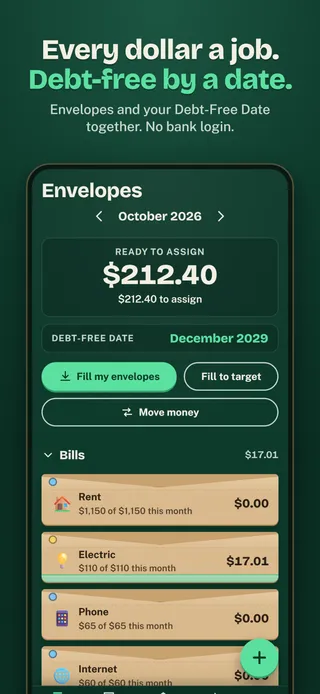
Every dollar a job. Debt-free by a date.Envelopes and your Debt-Free Date together. No bank login. 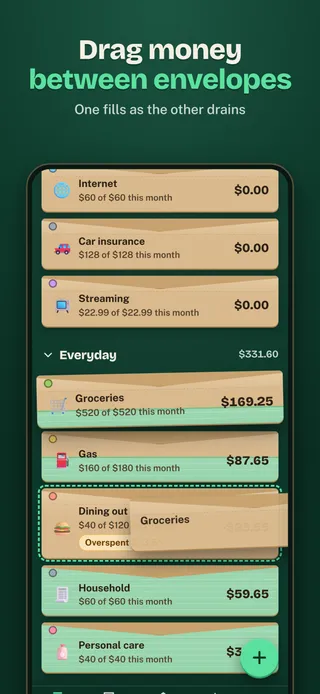
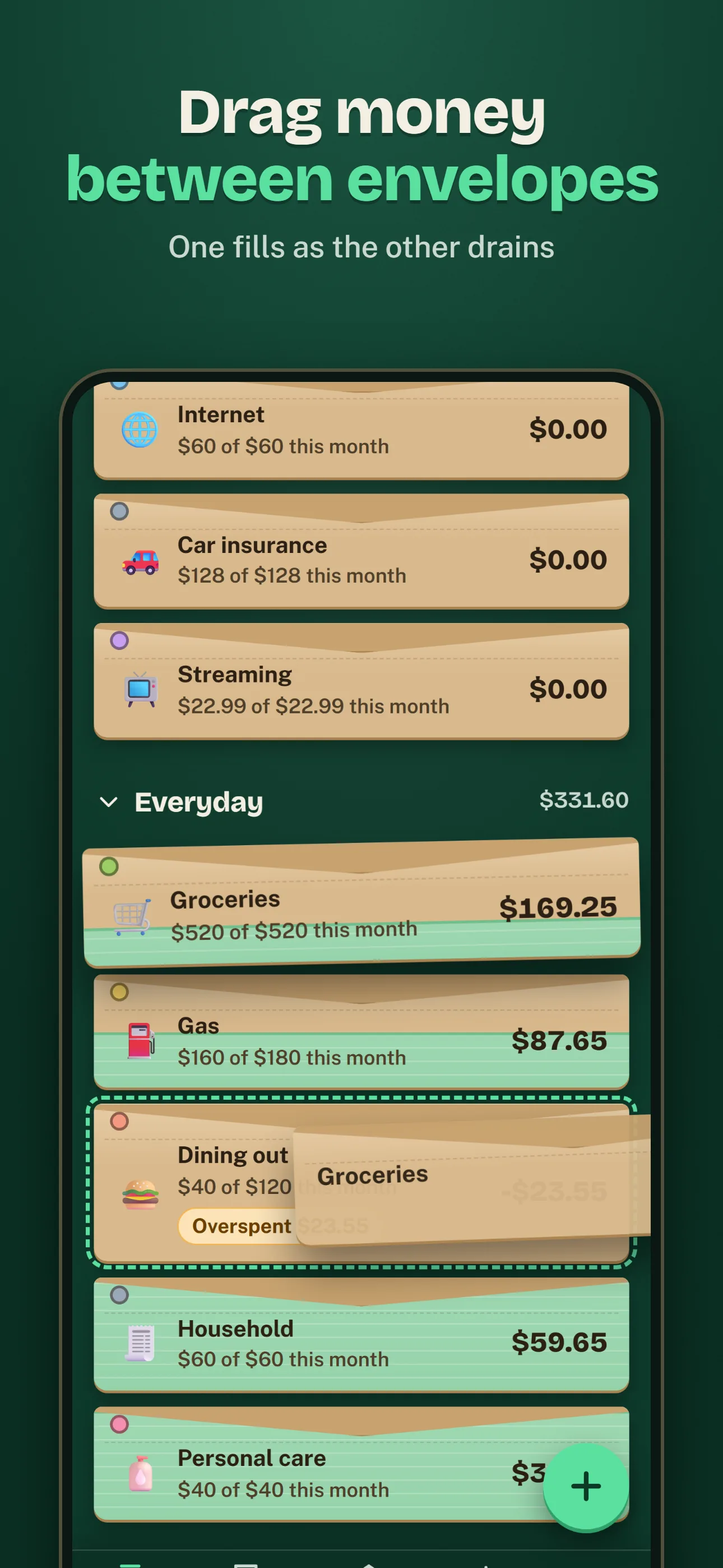
Drag money between envelopesOne fills as the other drains 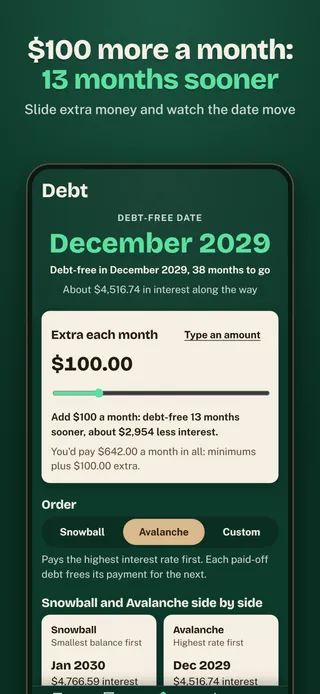
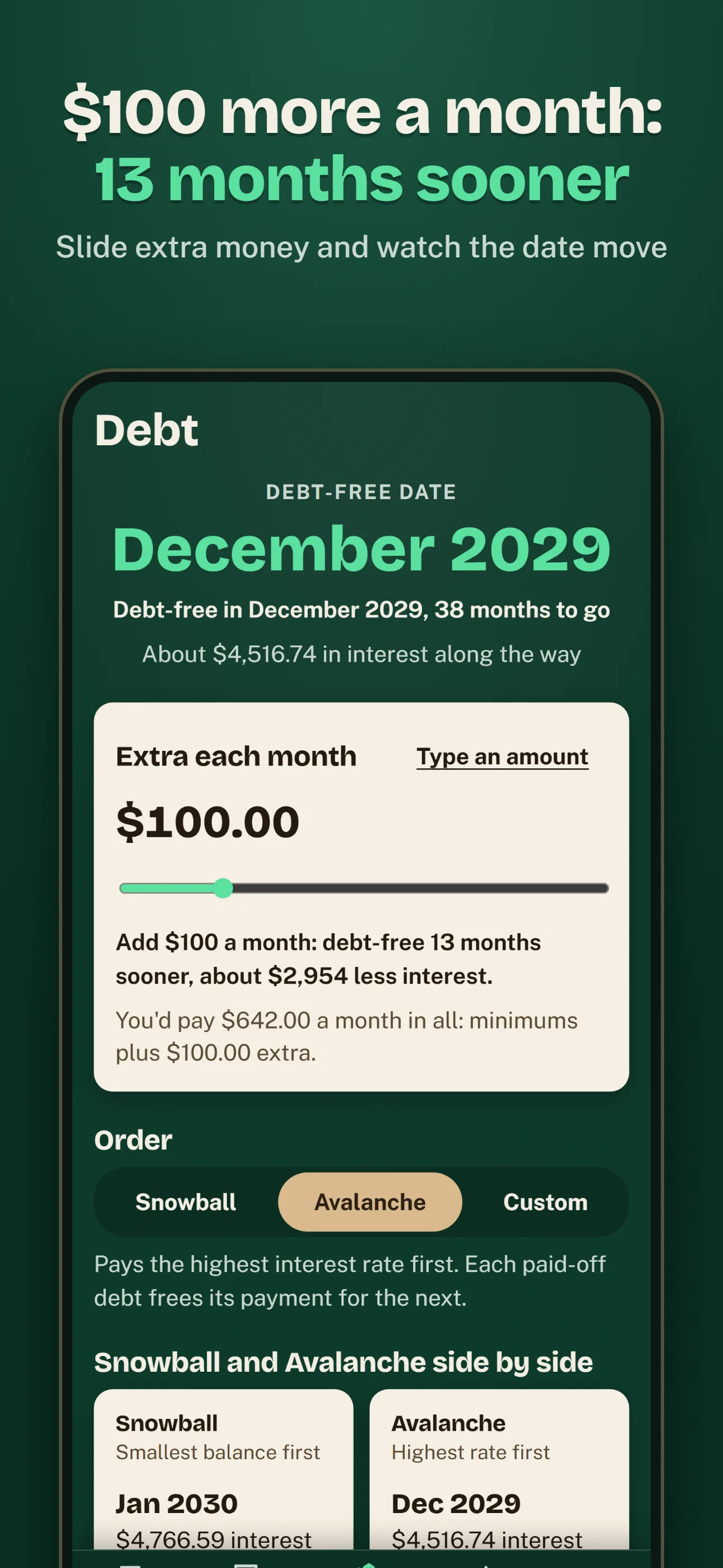
$100 more a month: 13 months soonerSlide extra money and watch the date move 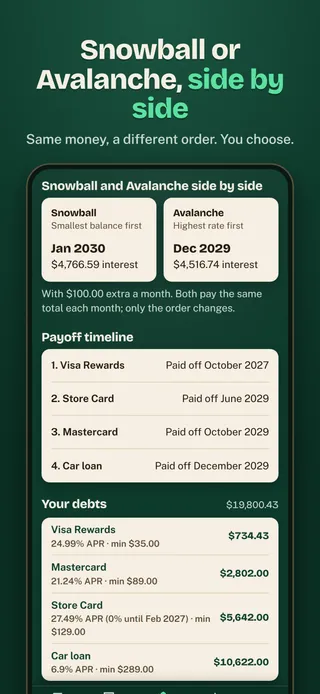
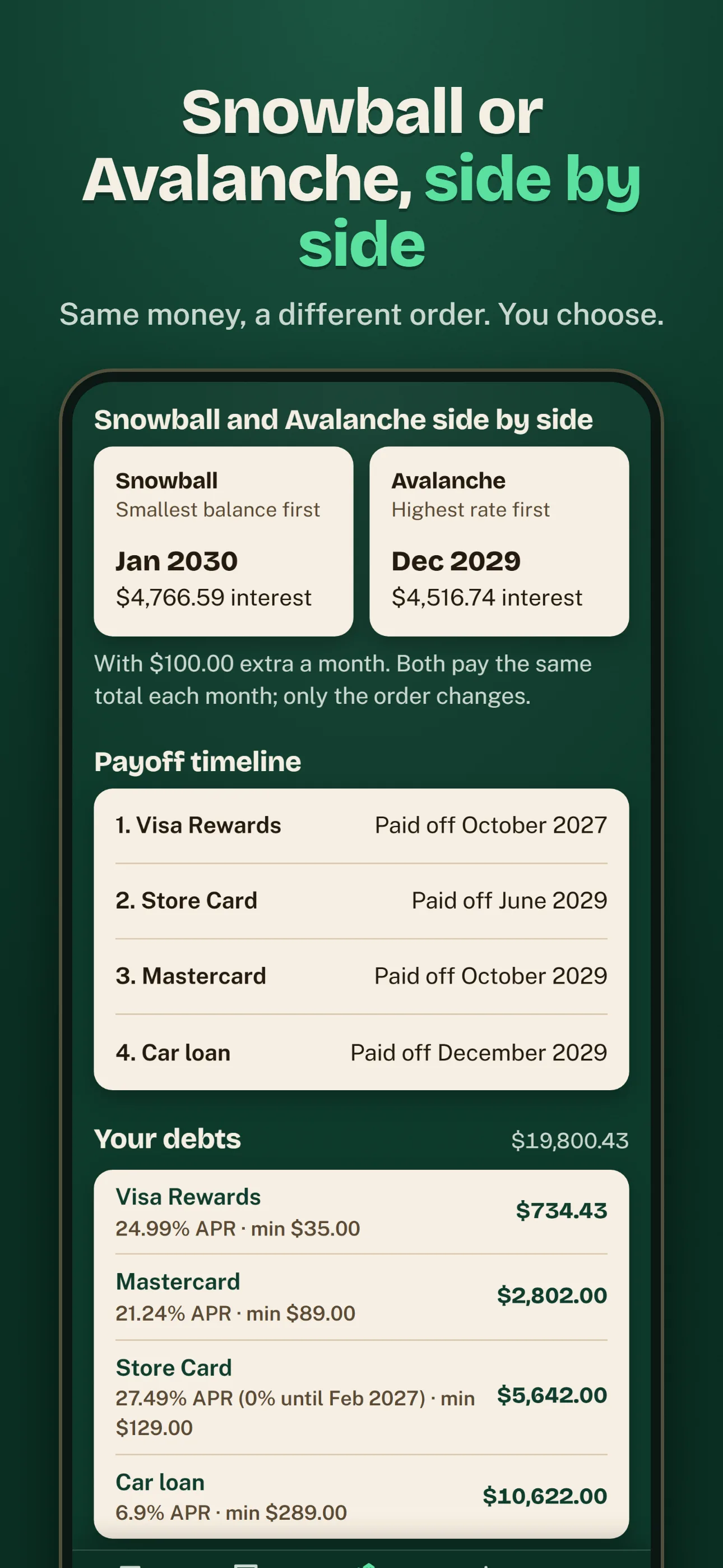
Snowball or Avalanche, side by sideSame money, a different order. You choose. 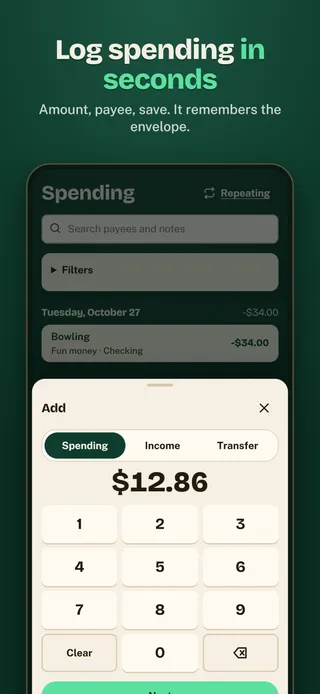
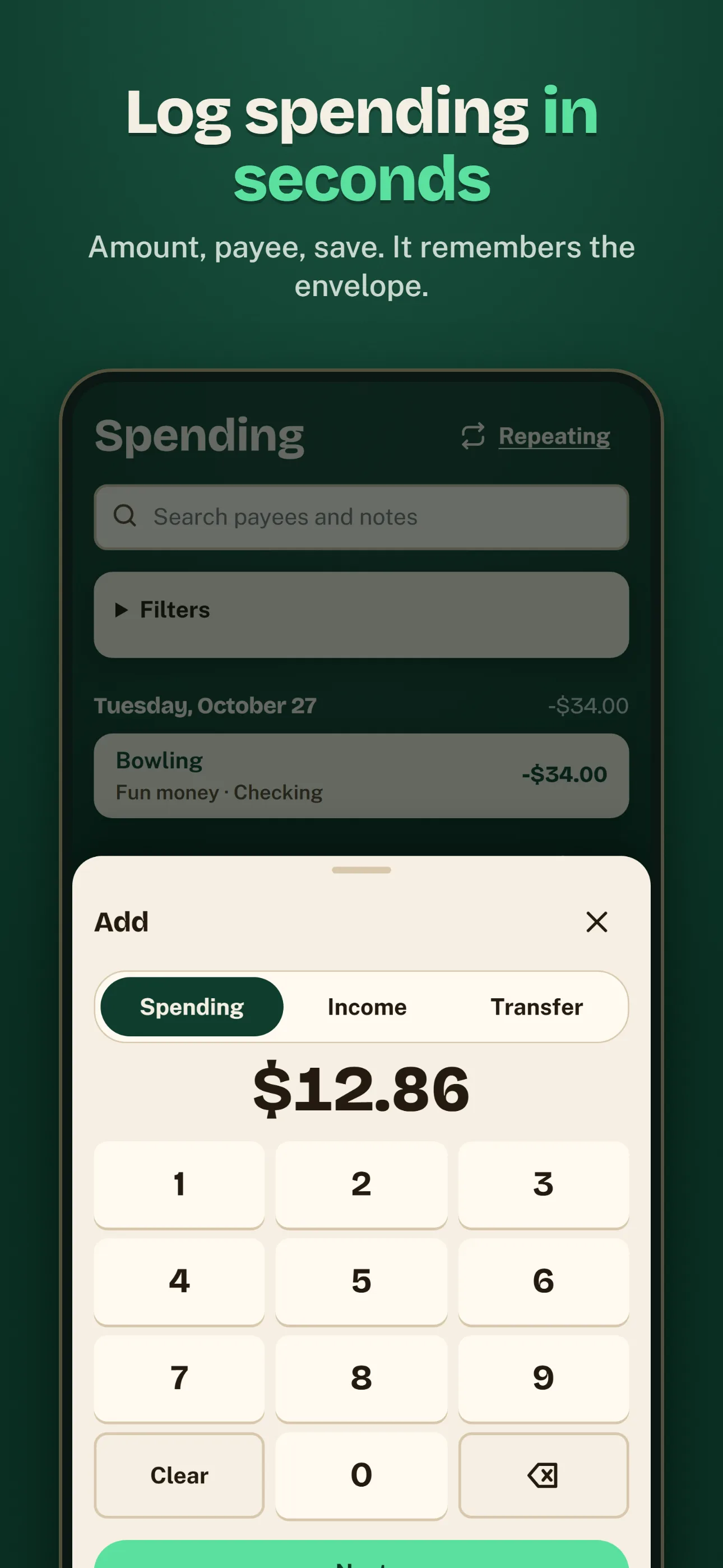
Log spending in secondsAmount, payee, save. It remembers the envelope. 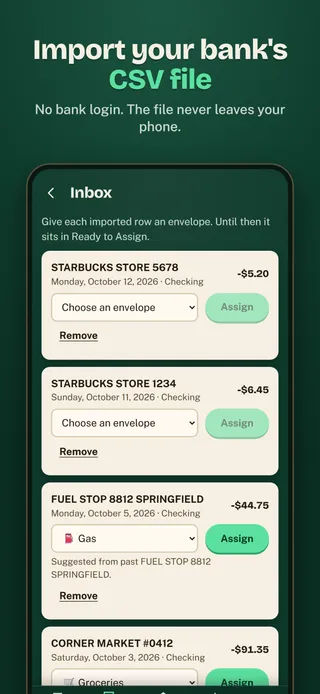
Import your bank's CSV fileNo bank login. The file never leaves your phone. 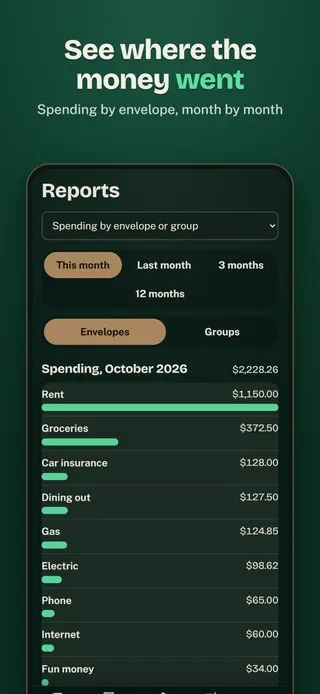
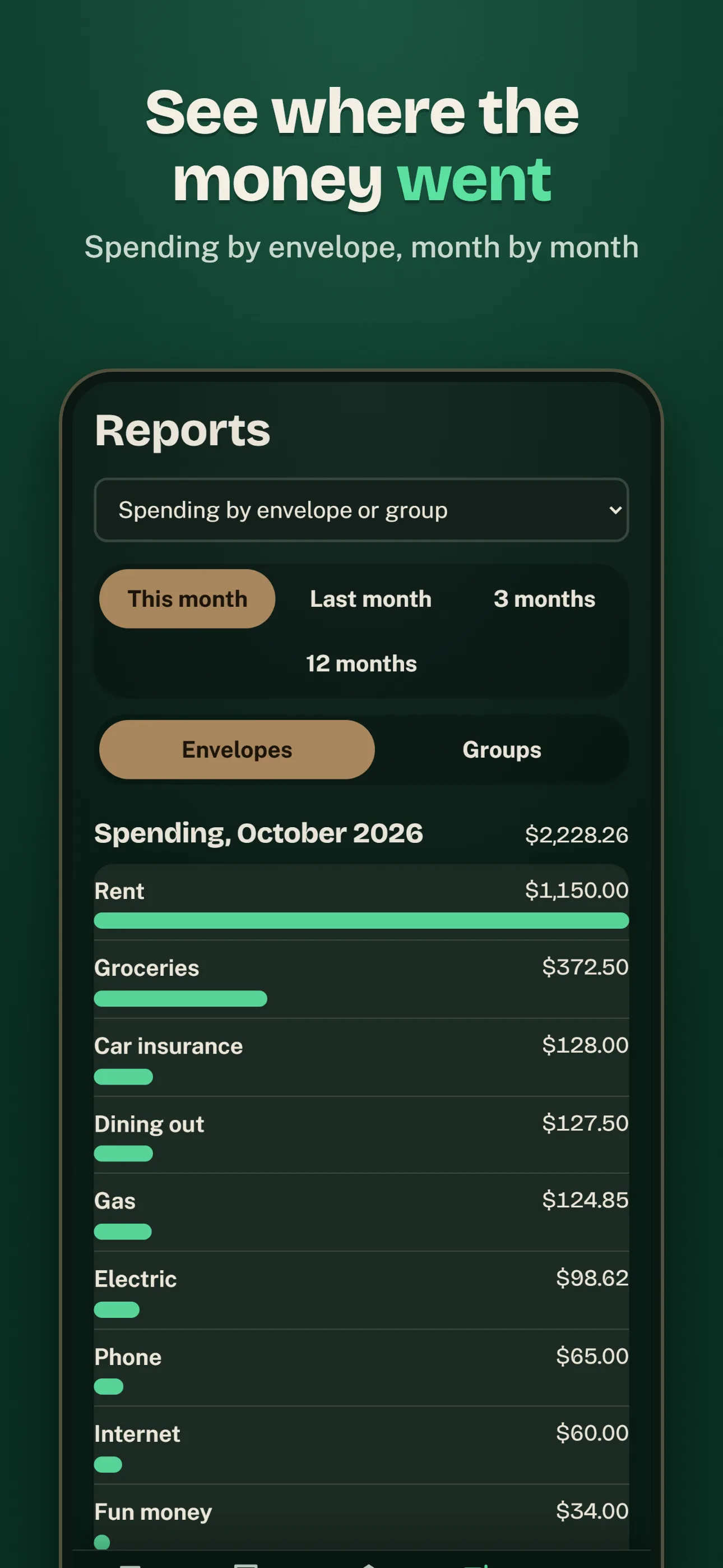
See where the money wentSpending by envelope, month by month 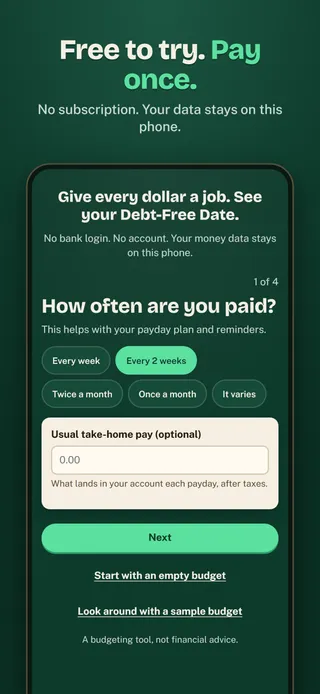
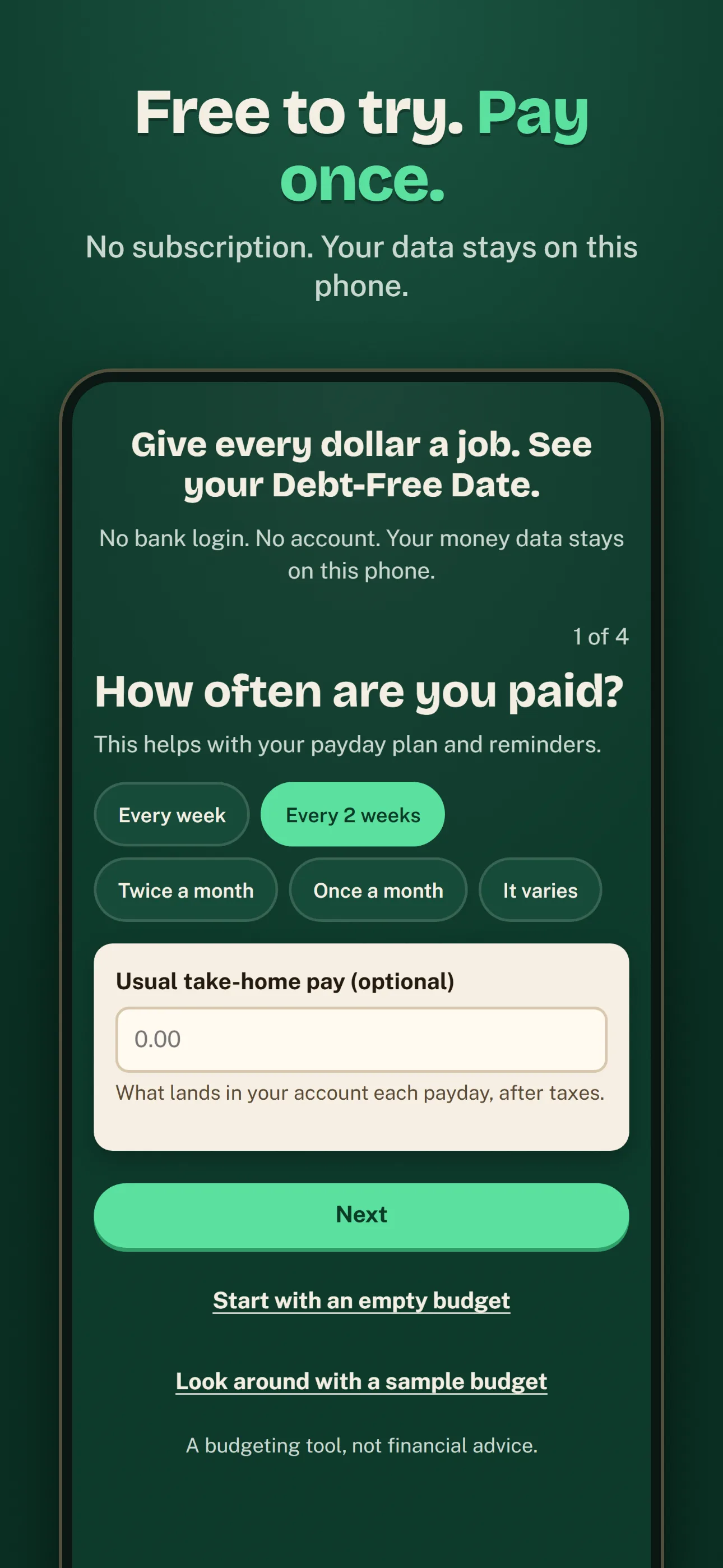
Free to try. Pay once.No subscription. Your data stays on this phone.

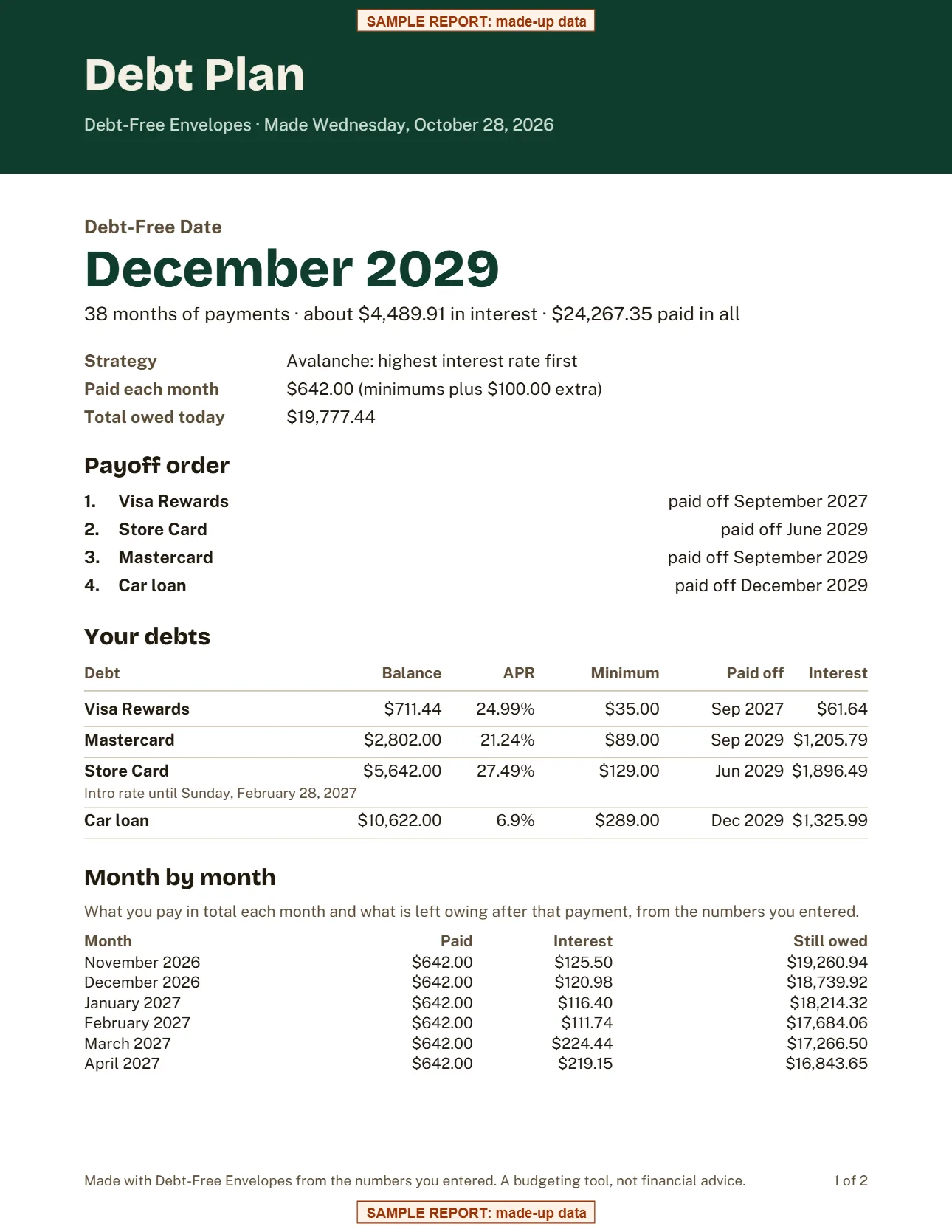
The report your partner gets
Your Debt-Free Date, the payoff order, every debt's balance, rate and minimum, and a month-by-month schedule of what you pay and what's left. Save it as a PDF, print it, or send it by email or text.
Made from sample data. Your report is made on your phone and shared only when you choose.
Everything included in the $4.99 unlock.
Envelopes that feel like cash
Income lands in Ready to Assign. Fill envelopes until every dollar has a job, then drag money between them when plans change.
Your Debt-Free Date
Add cards and loans with their rates and minimums and see the month you'll be debt-free, with total interest.
Extra money, sooner date
Slide an extra amount per month and watch the date move: months sooner and how much less interest.
Snowball or Avalanche
Smallest balance first or highest rate first, side by side, or your own order. You choose.
Log spending in seconds
Amount first, then payee. It remembers each payee's envelope. Splits, income, transfers and repeating bills.
Your bank's CSV file
Import a CSV you download from your bank's website. Read on your phone, never uploaded. No bank login.
A Debt Plan PDF
Payoff order, dates and a month-by-month schedule to print or share with your partner.
Private by design
No account, no cloud, no ads. Optional app lock, and a backup file you keep yourself.
Your entries never leave your phone unless you share them.
- Stays on your phoneEverything you log is saved on your device only.
- No accountNo sign-up, no email, no password.
- No ads, no trackingNo analytics and no advertising inside the app.
- Works offlineNo internet connection needed to log or review.
- You decide what to shareReports and exports go only where you send them.
Questions
Does it connect to my bank?
No. There is no bank login and no bank-linking service. You type your accounts and spending, or import a CSV file you download from your bank's website. The file is read on your phone and never uploaded.
How do I move to a new phone?
On the old phone, open More, Backup and export, and tap Back up now. Save the file somewhere you can reach from the new phone, such as your files app, a cloud drive or an email to yourself. On the new phone, install the app, open More, Backup and export, and tap Restore from a backup file. Restoring replaces everything on the new phone.
What's the difference between Snowball and Avalanche?
Both pay the same total each month. Snowball puts the extra money on the smallest balance first; Avalanche puts it on the highest interest rate first. The Debt tab shows both side by side with their dates and interest, so you can pick.
How does credit card spending work?
When you spend on a card, that money moves from the envelope you spent from into the card's Payment envelope, so the bill is covered when it comes. Paying the card is a transfer from checking to the card, which spends from the Payment envelope.
What does it cost?
Free to try for 7 days, then one in-app purchase unlocks it for good. No subscription. After the trial, everything you entered stays visible, and backup, export and reminders keep working.
A budgeting tool, not financial advice. The app shows the math from the numbers you enter.


