 mileage log · Coming soon to iPhone and Android
Mile Marker
A private mileage log for people who drive for work: tap Start, drive, tap Stop. A deduction meter shows business miles x the IRS standard rate, and a Mileage Log PDF and CSV go to your accountant at tax time.
Free to try for 7 days, then $4.99 once to unlock. No subscription, no ads, no account.
See it in action
Real screens from the app.
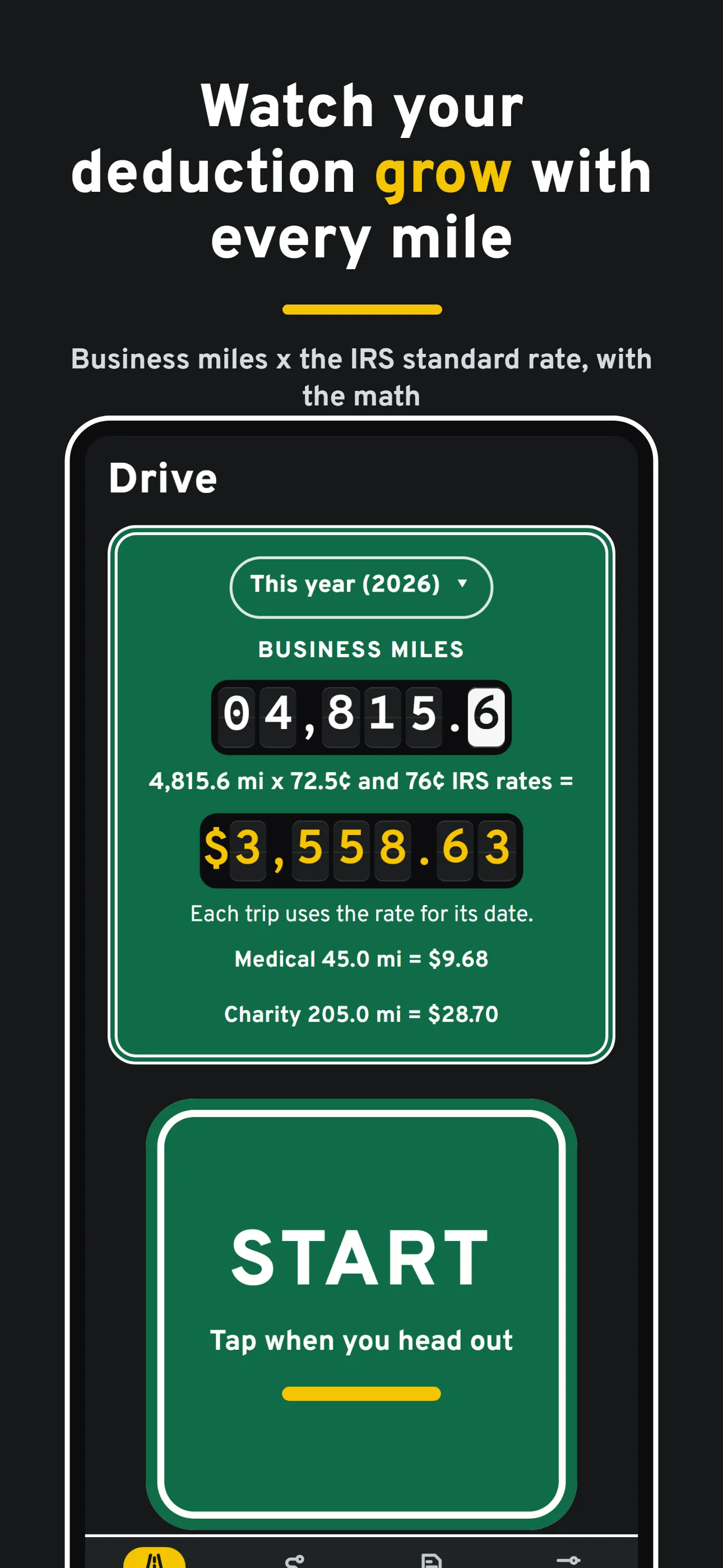
Watch your deduction grow with every mileBusiness miles x the IRS standard rate, with the math 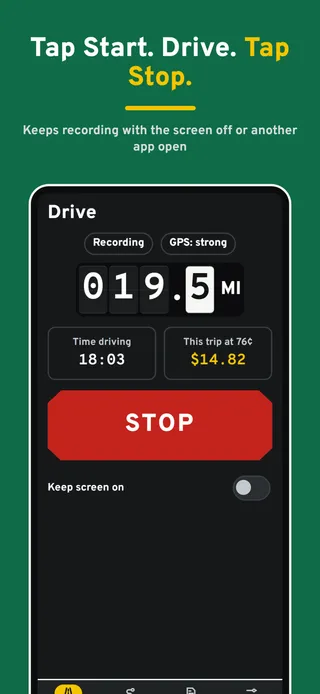
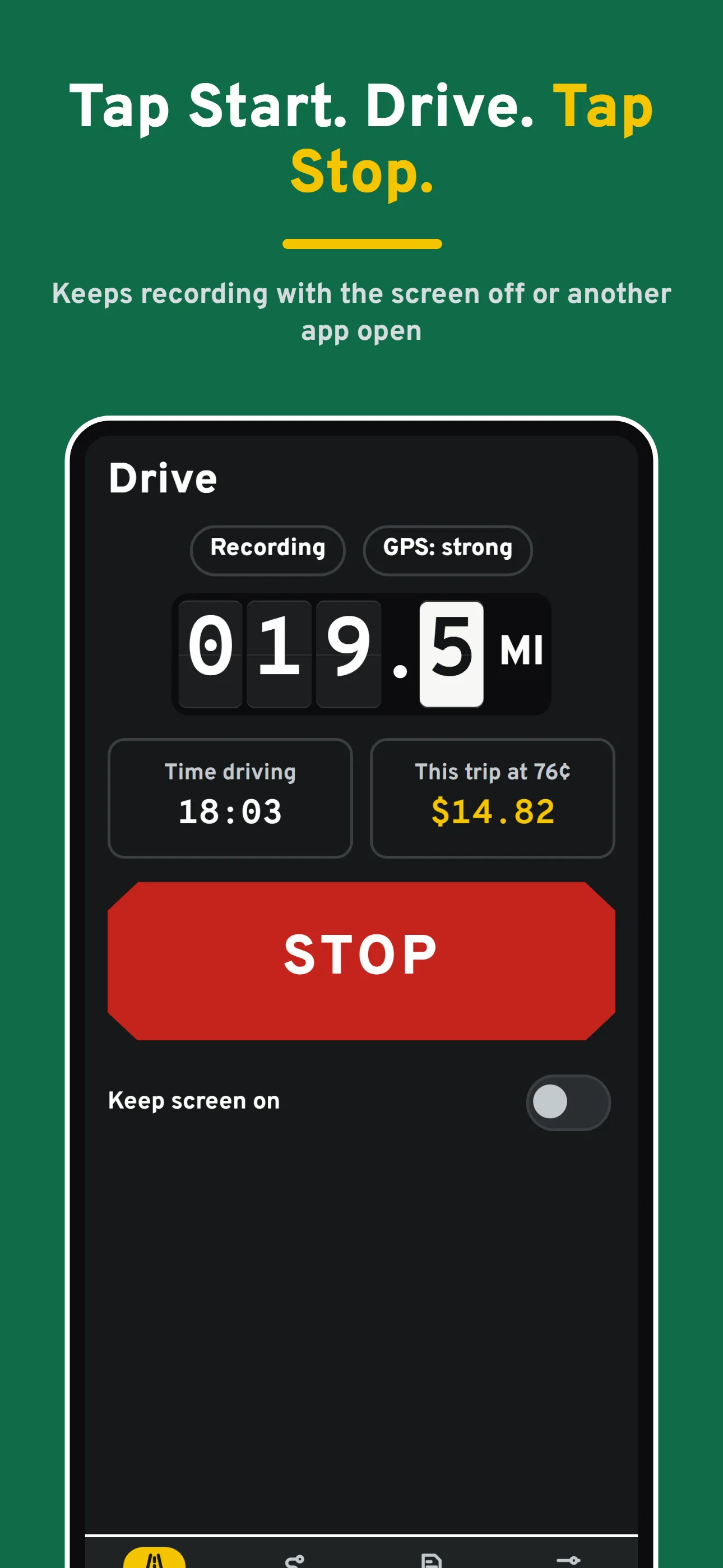
Tap Start. Drive. Tap Stop.Keeps recording with the screen off or another app open 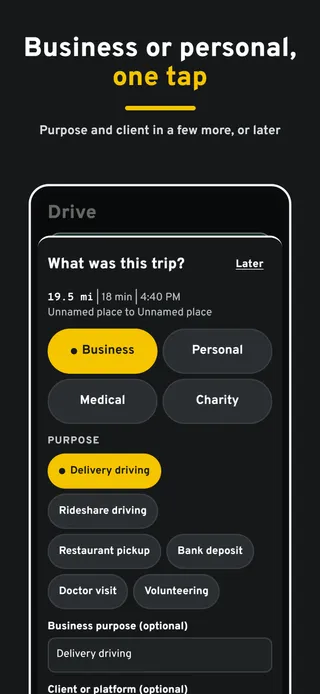
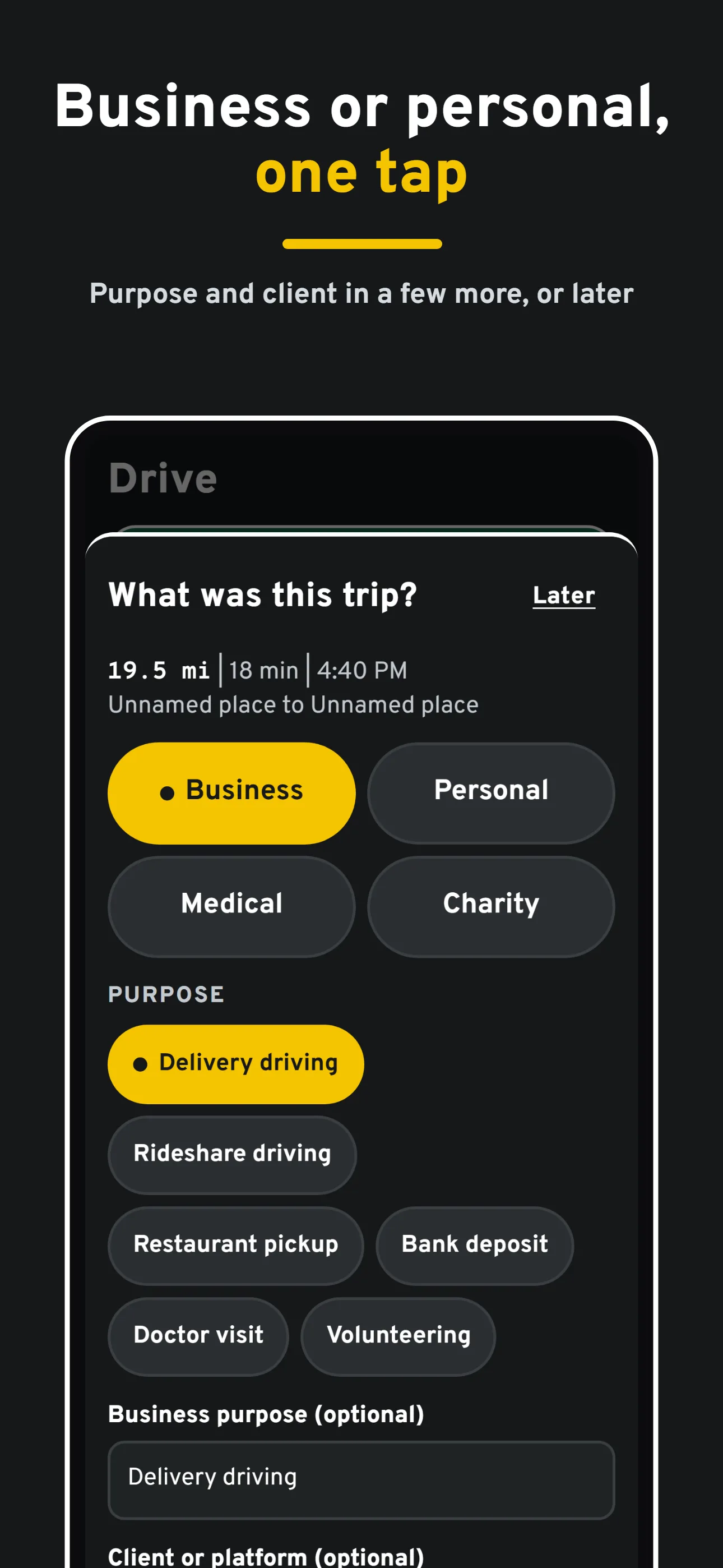
Business or personal, one tapPurpose and client in a few more, or later 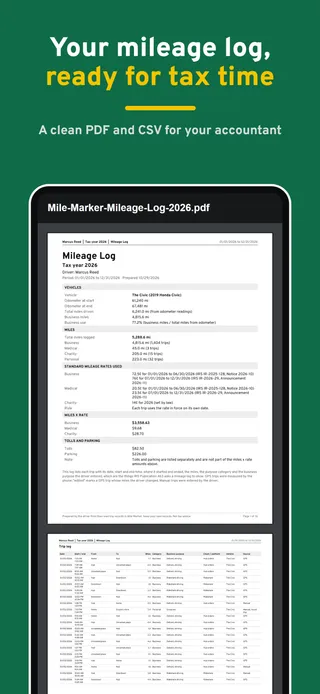
Your mileage log, ready for tax timeA clean PDF and CSV for your accountant 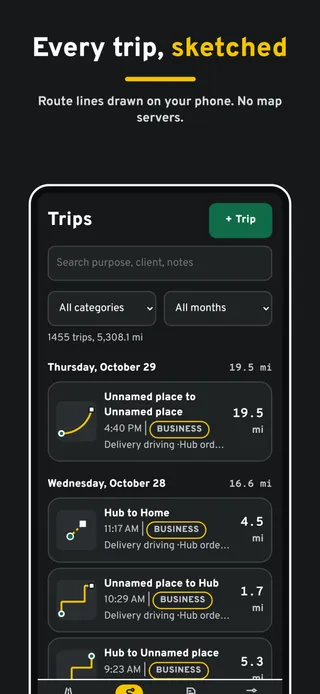
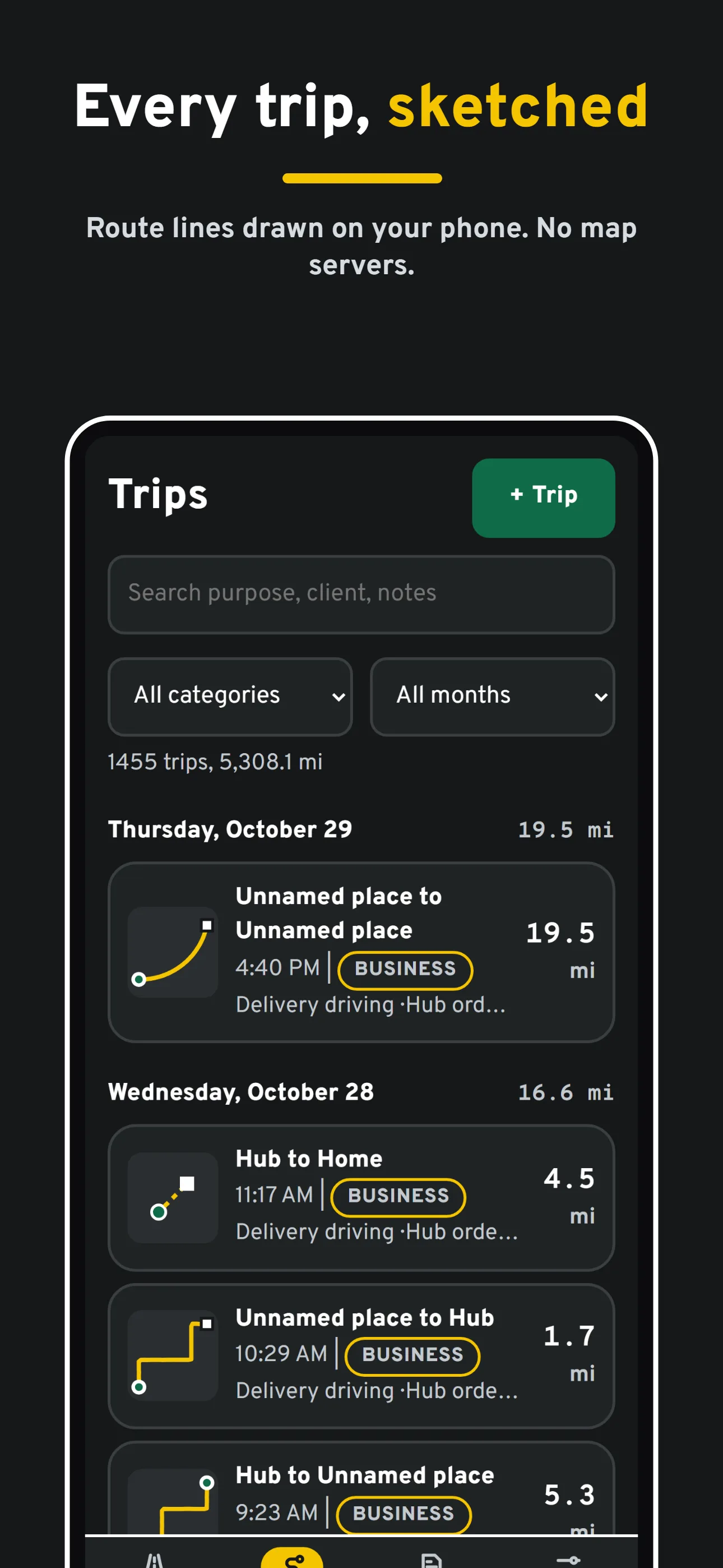
Every trip, sketchedRoute lines drawn on your phone. No map servers. 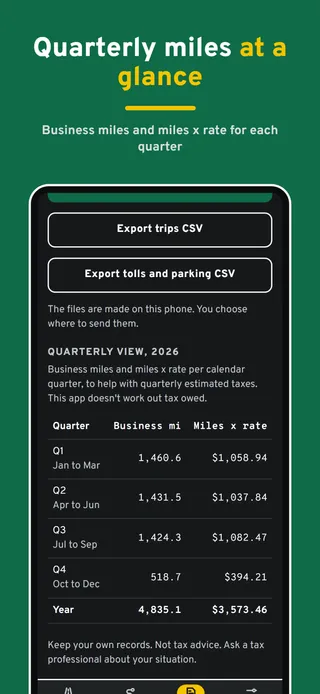
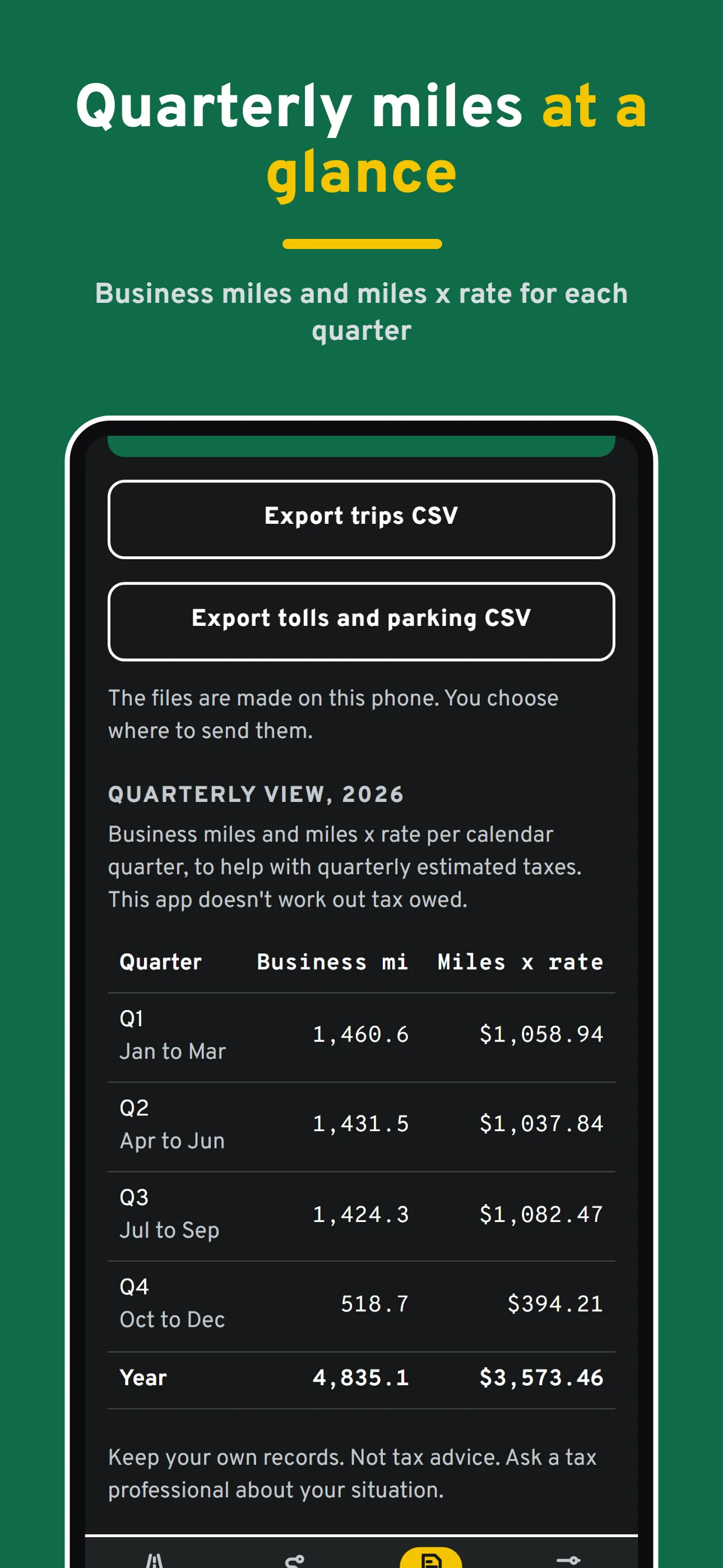
Quarterly miles at a glanceBusiness miles and miles x rate for each quarter 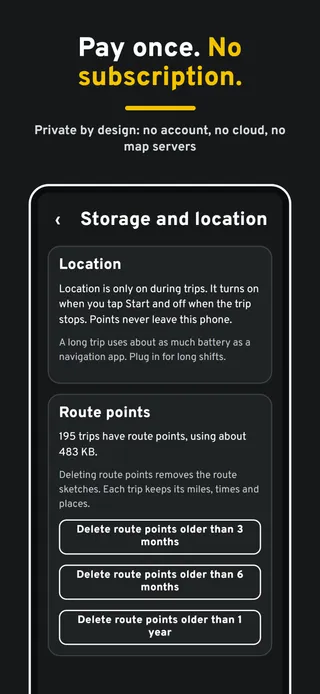
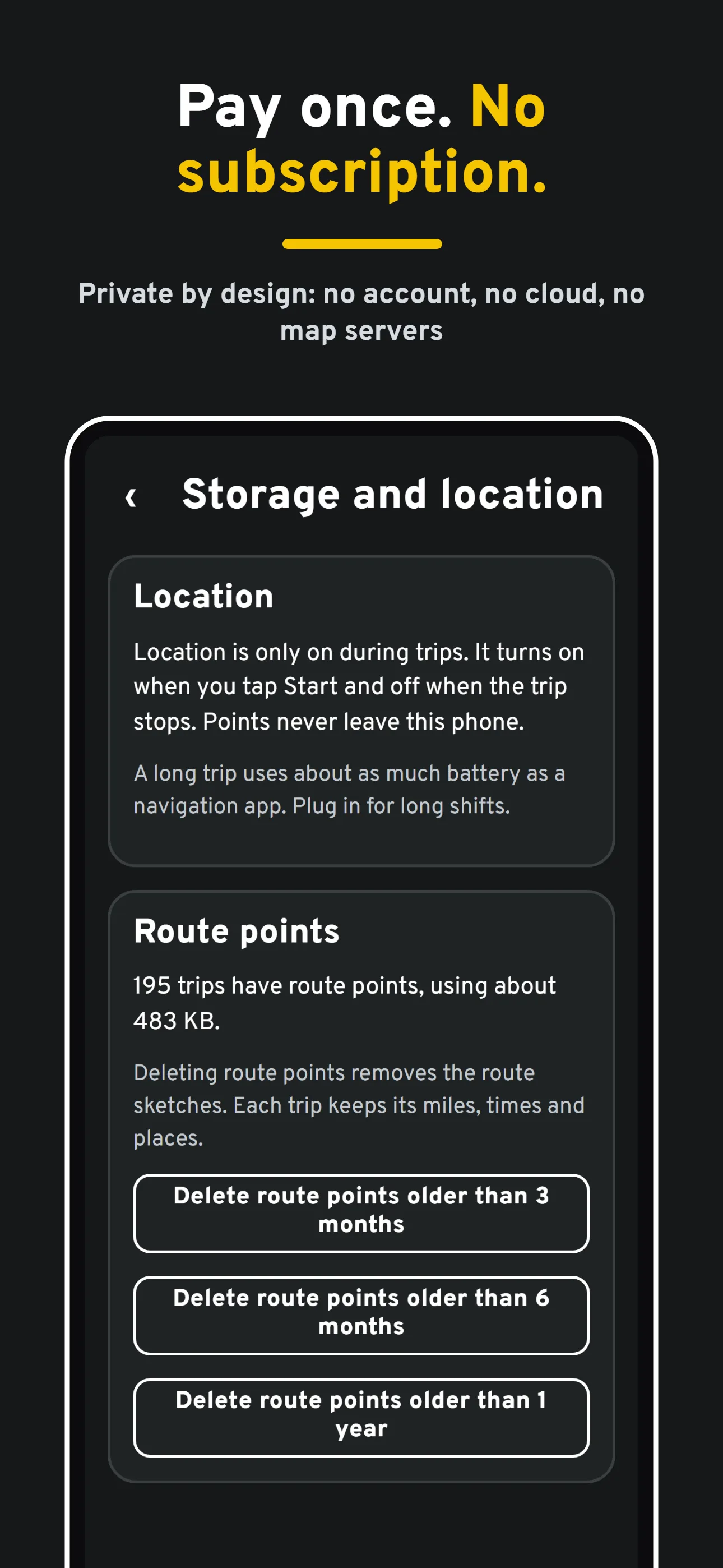
Pay once. No subscription.Private by design: no account, no cloud, no map servers
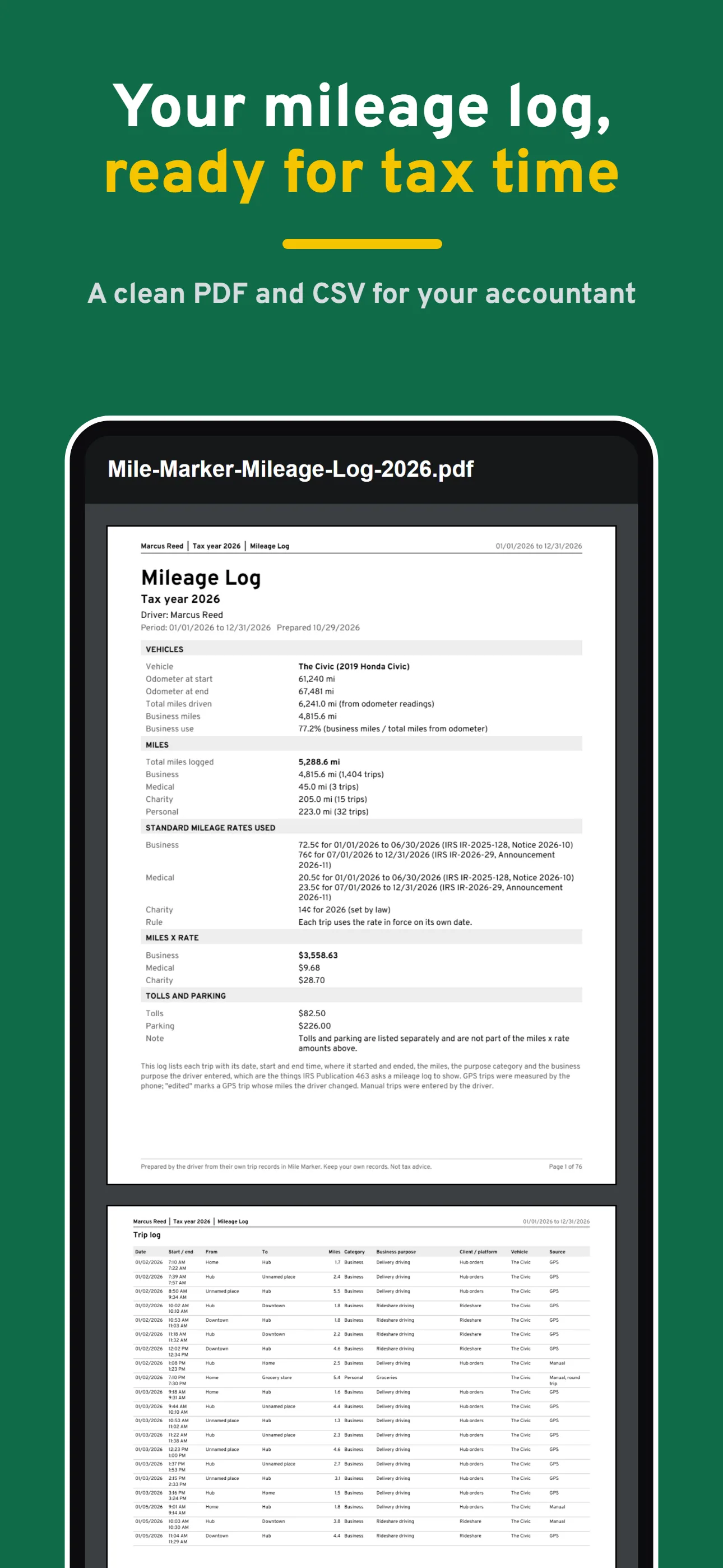
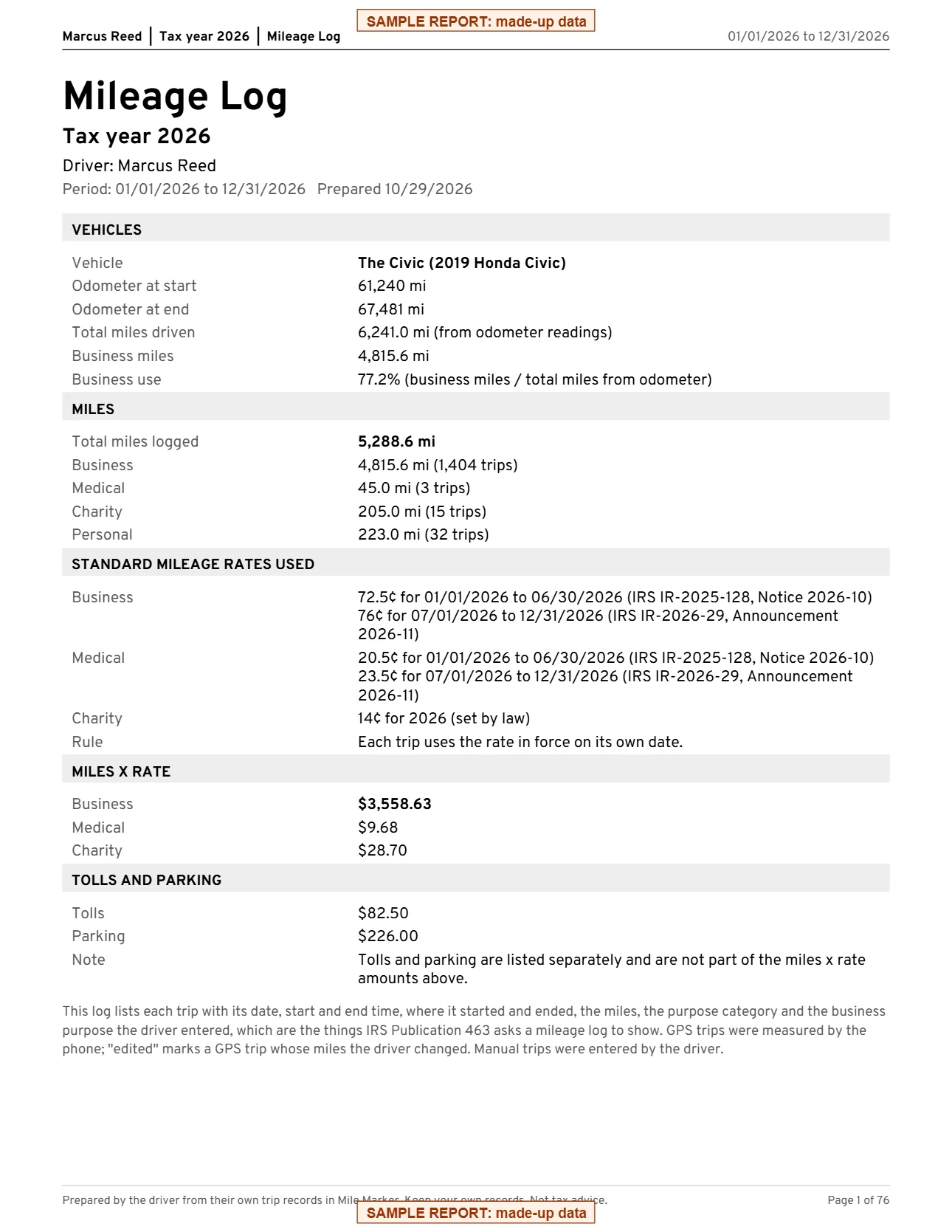
The report your accountant gets
A summary page with your vehicle, odometer readings, total and business miles, business-use percentage, the IRS rates used and miles x rate, then every trip with date, times, places, miles, purpose and client, monthly subtotals, and tolls and parking. Save it as a PDF, print it, or send it by email or text.
Made from sample data. Your report is made on your phone and shared only when you choose.
Everything included in the $4.99 unlock.
One big Start button
Tap Start when you head out and Stop when you're done. Readable at a glance in a car mount, day or night.
Keeps recording
Switch to your gig app or turn the screen off. A trip you started keeps recording until you stop it.
The deduction meter
Business miles this year and the math: miles x the IRS standard rate. Each trip uses the rate for its own date.
A Mileage Log PDF and CSV
Every trip with date, times, places, miles, purpose and client, monthly subtotals and a summary page, ready for your accountant.
For the trips your phone missed
Add trips by miles or odometer, mark round trips, repeat a trip, or split one into two jobs.
Places, cars, tolls and parking
Name your Home, Hub or clients. More than one vehicle with odometer readings. Tolls and parking with receipt photos.
Route sketches, no maps
Each trip's route is drawn on your phone from your own points. No map servers, no address lookups.
Private by design
No account, no cloud, no ads. Location is used only during trips you start and never leaves your phone.
Your entries never leave your phone unless you share them.
- Stays on your phoneEverything you log is saved on your device only.
- No accountNo sign-up, no email, no password.
- No ads, no trackingNo analytics and no advertising inside the app.
- Works offlineNo internet connection needed to log or review.
- You decide what to shareReports and exports go only where you send them.
Questions
Is it a subscription?
No. Mile Marker is free to download and every feature works for 7 days. After that, one $4.99 in-app purchase unlocks it for good. There is no subscription and no ads. If you don't buy it, every trip you logged stays readable, and you can still export a CSV and back up. A trip that is running always finishes and saves.
Does it track me all the time?
No. Mile Marker uses your location only while a trip you started is running, from Start to Stop. It never asks for background location when no trip is running, and your location never leaves your phone.
Does it detect trips automatically?
Not in version 1.0. You tap Start and Stop, or add a trip by hand. Automatic trip detection is planned for a later update.
Is the mileage log good enough for the IRS?
The log records the things IRS Publication 463 asks a mileage log to show: the date, the miles, where you went and the business purpose, made at the time you drive. Whether a trip counts is up to you and your tax professional. Mile Marker is a log, not tax advice.
Which mileage rate does it use?
The IRS standard mileage rate for each trip's own date, with the source for each rate in Settings. In 2026 that is 72.5 cents a mile through June 30 and 76 cents from July 1. You can enter a custom rate if you need to.
Where is my data stored?
Only on your phone, inside the app. There is no account, no cloud sync and no map service, and nothing you record is sent to us or to anyone else.
How do I move to a new phone?
On the old phone, open Settings, then Backup and restore, and tap Make a backup file. Save it somewhere you can reach from the new phone, such as your files app, a cloud drive or an email to yourself. On the new phone, install the app and use Restore from a backup file. Restoring replaces everything on the new phone, photos included.
How do I get help?
Email chef@thenewsbakery.com. Tell us what happened, and we will get back to you. More answers are on the support page.
Mile Marker is a log, not tax advice. Keep your own records. Ask a tax professional about your situation.
More apps from The News Bakery
 My Blood Pressure JournalBlood Pressure journal
 My Blood Sugar JournalBlood Sugar journal
 My Migraine JournalMigraine journal
 My Pain JournalPain journal
 My Mood JournalMood journal
 Care Bindercaregiver log
 Debt-Free Envelopes: BudgetDebt-Free Envelopes envelope budget
 Pacewell: Energy PacingPacewell energy pacing planner