 Pacewell energy pacing planner · Coming soon to iPhone and Android
Pacewell: Energy Pacing
Plan your day inside your energy budget, log crashes in one tap, and bring a clear Pacing Report to your doctor. For ME/CFS, long COVID, POTS and other energy-limiting illness. No wearable. No subscription. No account.
Free to try for 7 days, then $4.99 once to unlock. No subscription, no ads, no account.
See it in action
Real screens from the app.
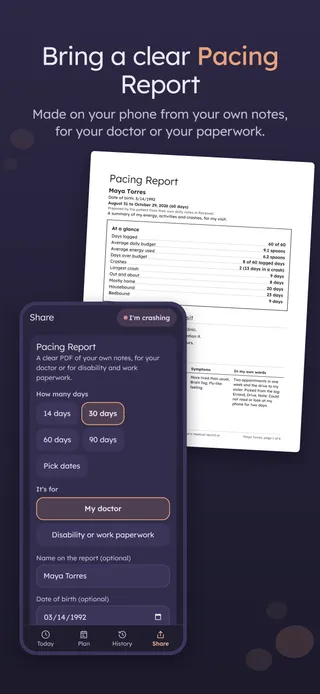
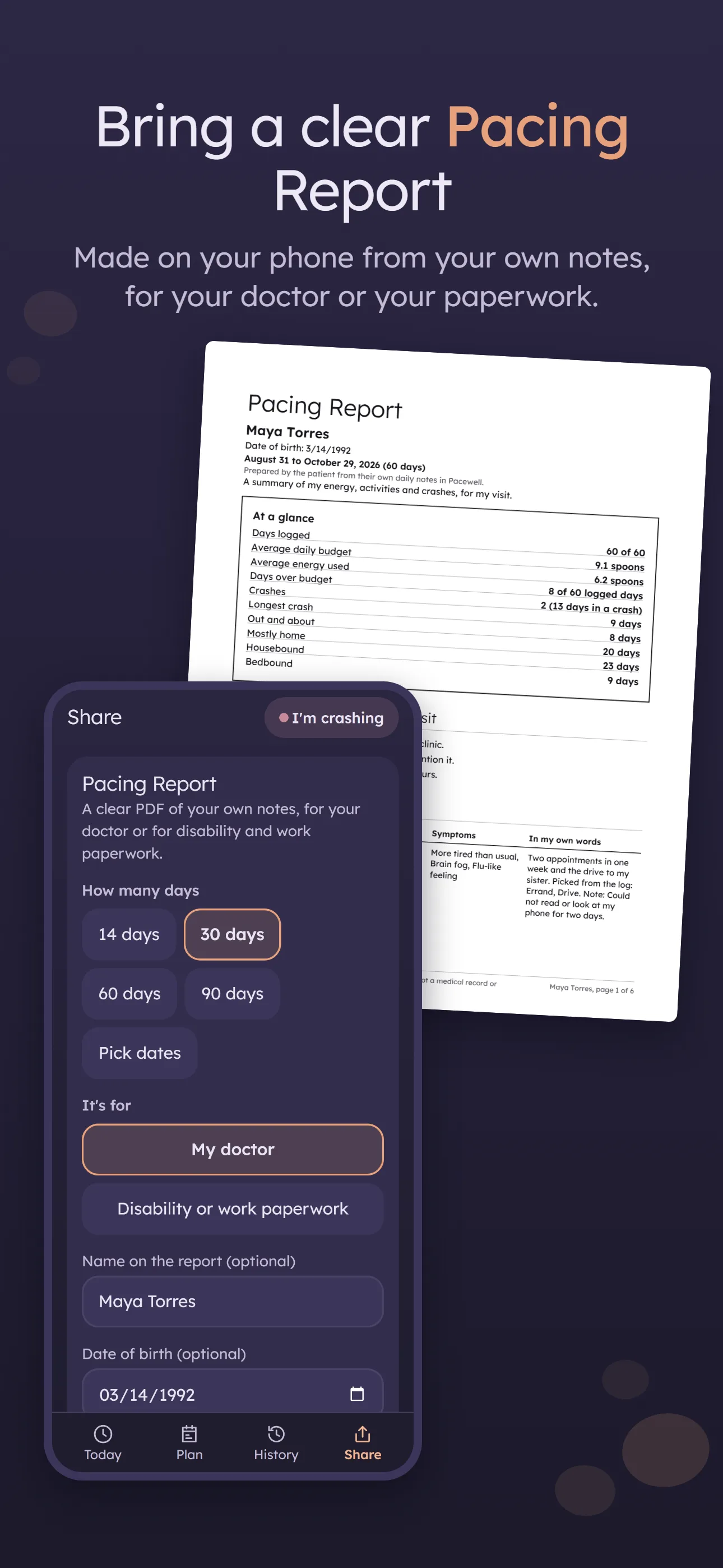
Bring a clear Pacing ReportMade on your phone from your own notes, for your doctor or your paperwork 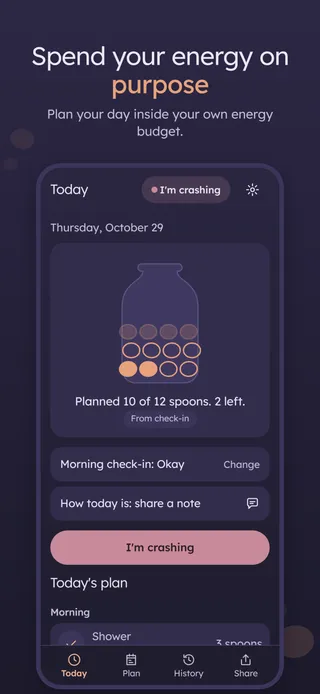
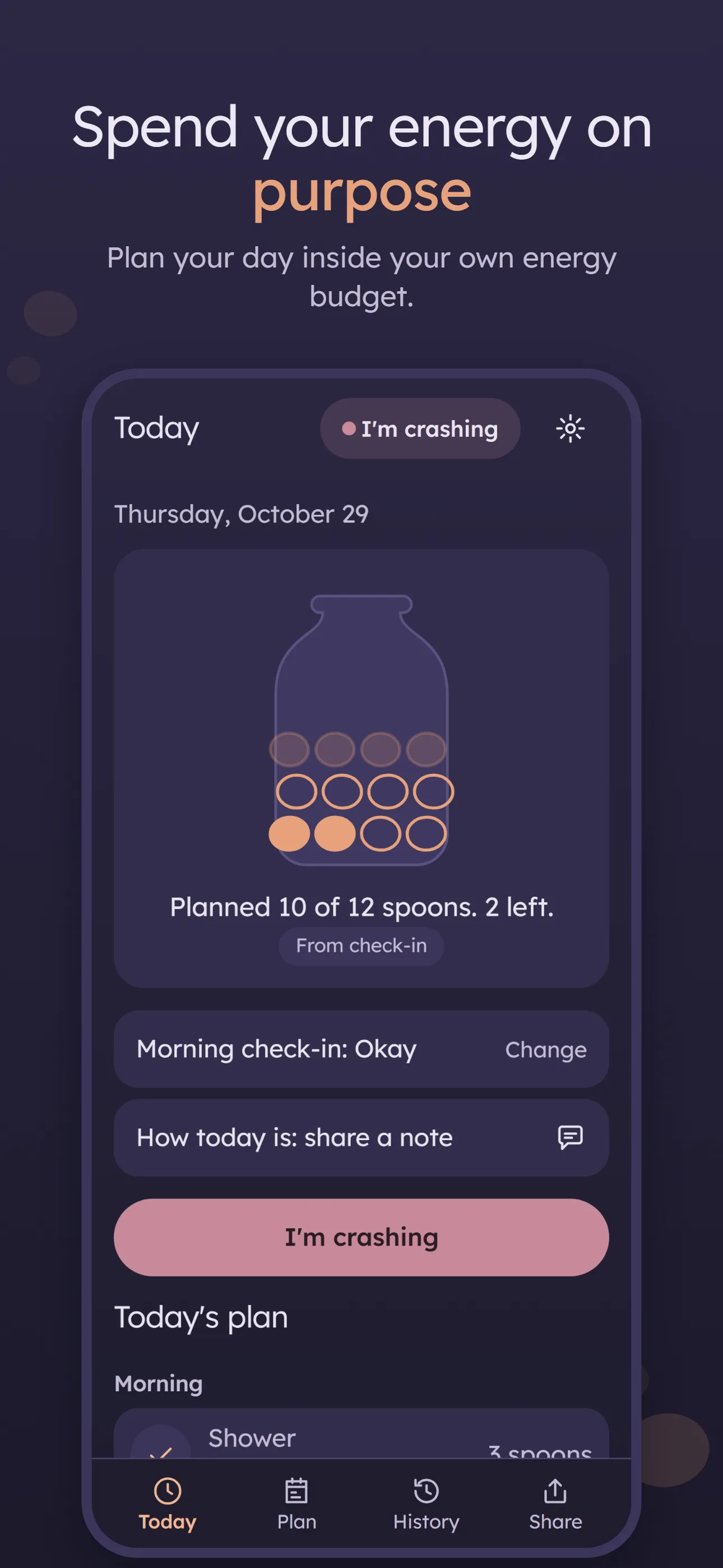
Spend your energy on purposePlan your day inside your own energy budget 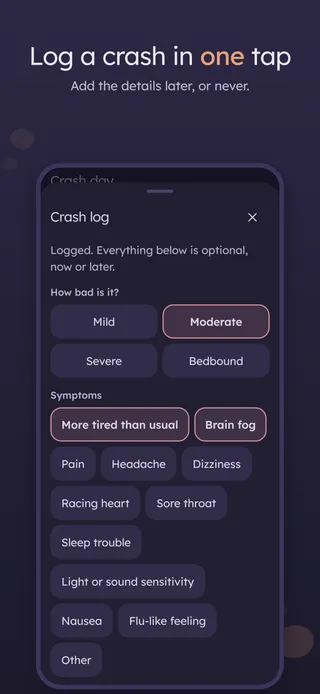
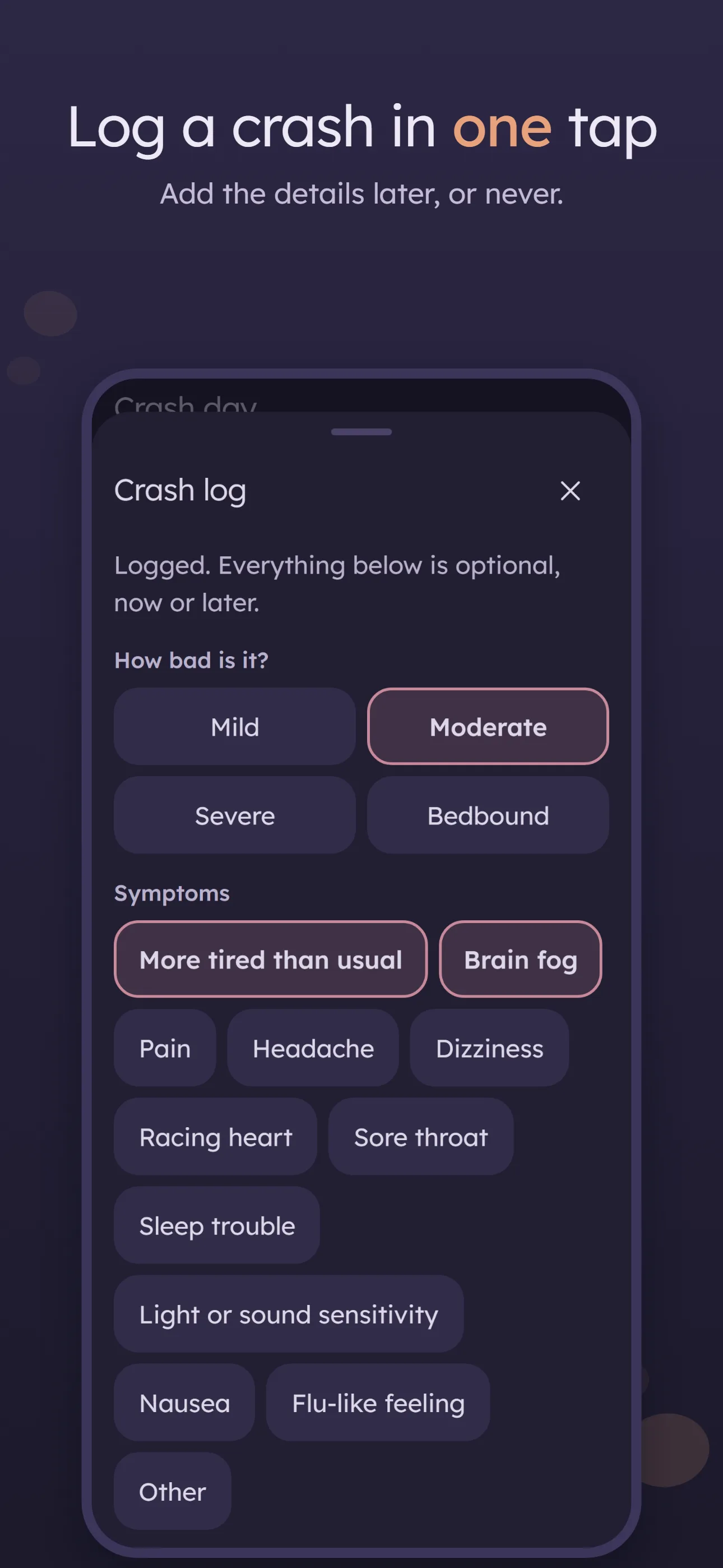
Log a crash in one tapAdd the details later, or never 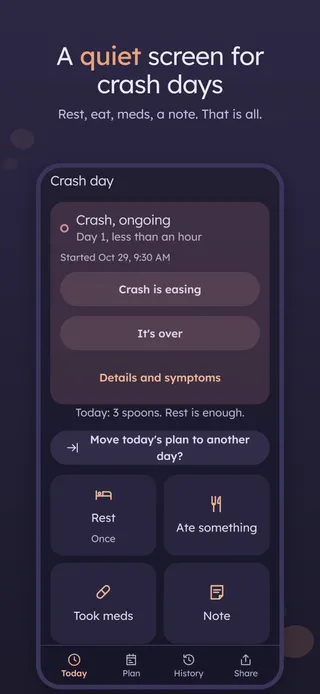
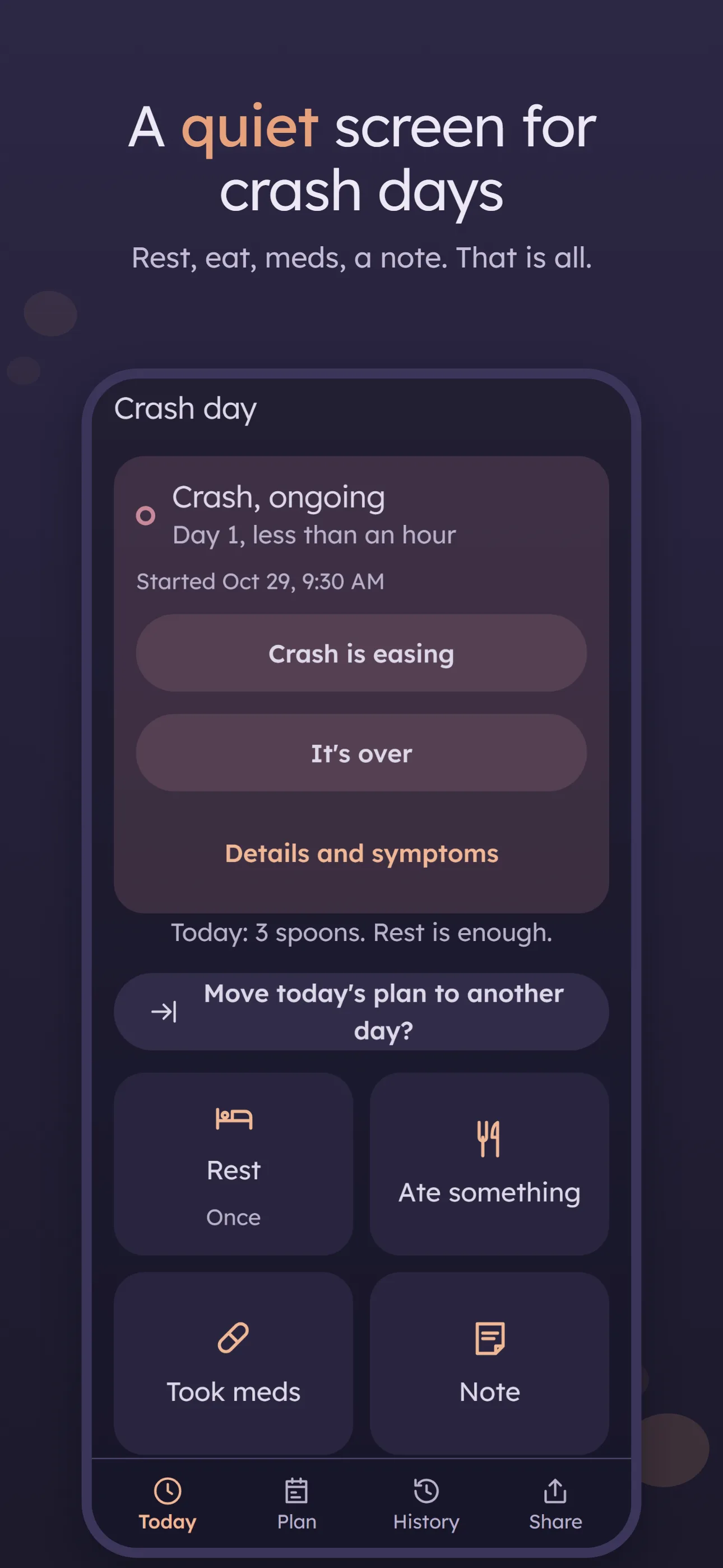
A quiet screen for crash daysRest, eat, meds, a note. That is all. 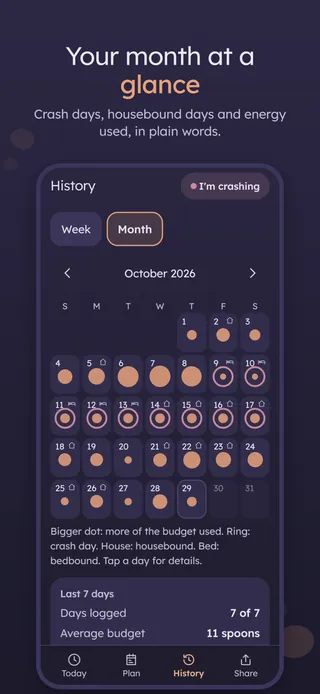
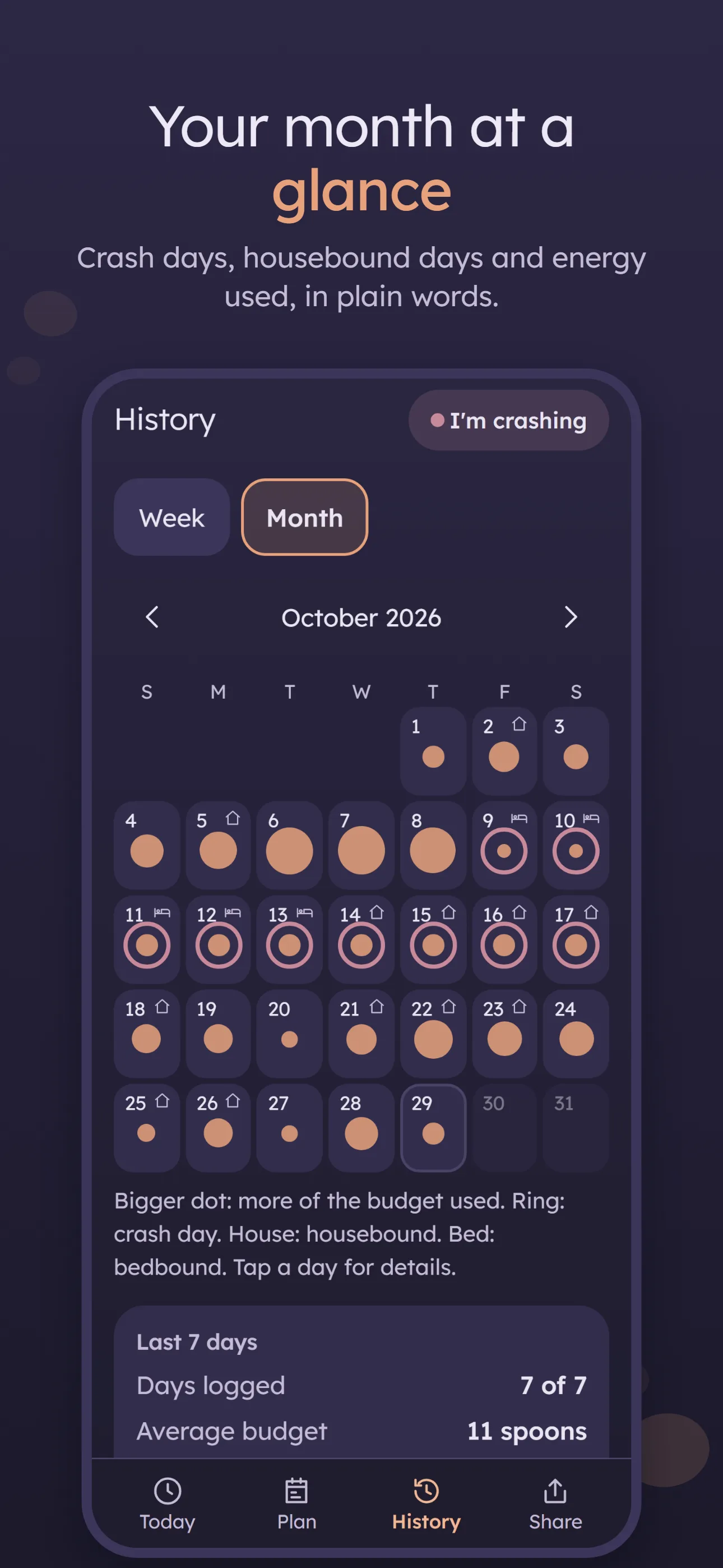
Your month at a glanceCrash days, housebound days and energy used, in plain words 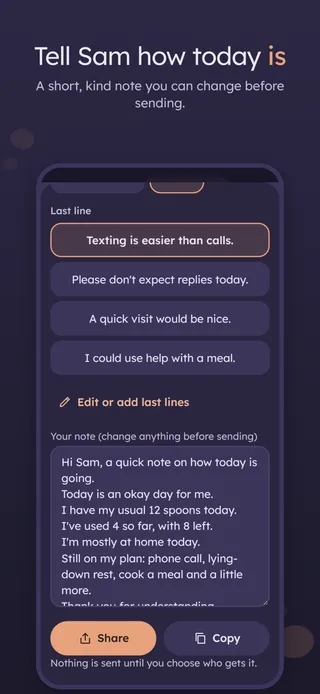
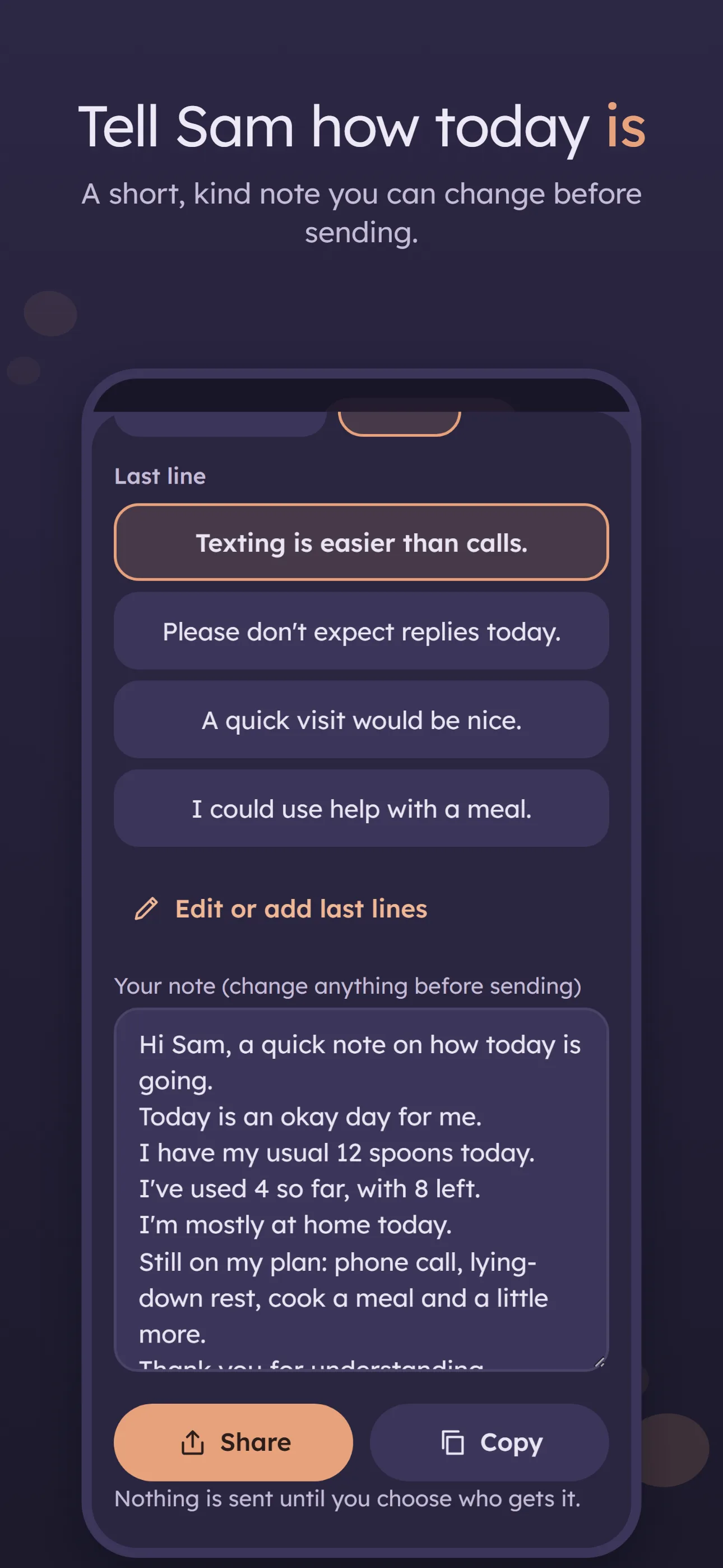
Tell Sam how today isA short, kind note you can change before sending 
No wearable. No subscription. No account.Private by design: works offline, your notes stay on this phone
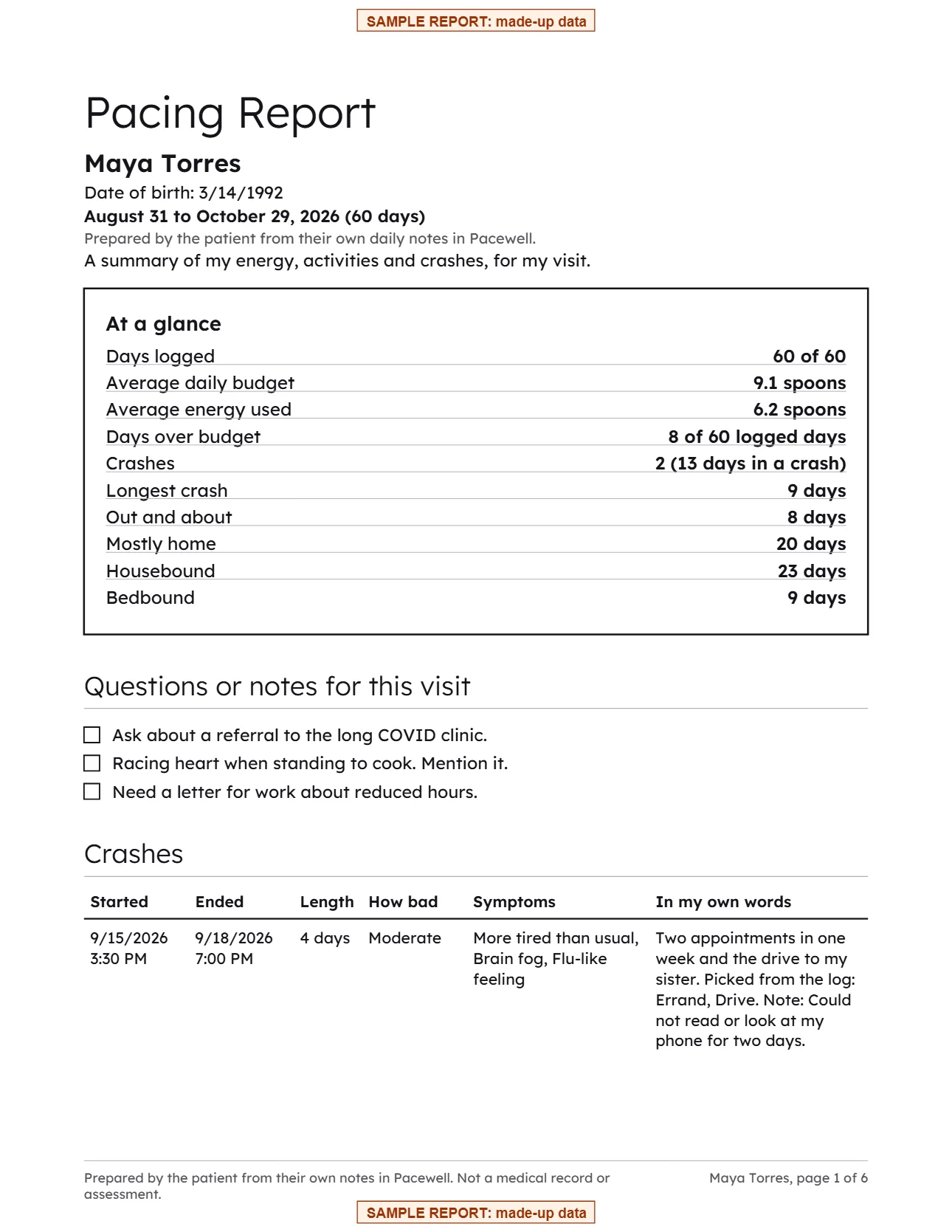
The report your doctor gets
An at-a-glance box, questions for the visit, every crash with its length and the energy used on the 3 days before, a week-by-week count of days out and about, mostly home, housebound and bedbound, energy by day, morning check-ins, sleep and optional counters. Save it as a PDF, print it, or send it by email or text.
Made from sample data. Your report is made on your phone and shared only when you choose.
Everything included in the $4.99 unlock.
Your energy budget
Spoons, energy points or a battery percent. You choose the number; a one-tap morning check-in sets today's budget.
Plan the day
Everyday activities with costs you can change. The energy jar says it plainly: "Planned 9 of 12 spoons. 3 left."
Log what happened
Done, Skip or Tomorrow, "It took more" or "It took less", and Undo for a few seconds after every tap.
A crash in one tap
The "I'm crashing" button is on every screen. Details can wait. Crash days get a very quiet screen with four big buttons.
The Pacing Report
A clear PDF for your doctor or for disability or work paperwork: crashes, energy used, housebound and bedbound days, in plain numbers.
How today is
A short, kind note for a partner, parent or friend, ready to send in one tap.
Made for tired brains
Dim, soft colors, big buttons, few words. No streaks, badges or scores.
Private by design
Works offline. Nothing measured, nothing sent anywhere. Optional app lock and a backup file you keep yourself.
Your entries never leave your phone unless you share them.
- Stays on your phoneEverything you log is saved on your device only.
- No accountNo sign-up, no email, no password.
- No ads, no trackingNo analytics and no advertising inside the app.
- Works offlineNo internet connection needed to log or review.
- You decide what to shareReports and exports go only where you send them.
Questions
Is it a subscription?
No. Pacewell is free to download and every feature works for 7 days. After that, one $4.99 in-app purchase unlocks it for good. There is no subscription and no ads. If you don't buy it, everything you logged stays readable, the crash log and reminders keep working, and you can still back up and export.
Does it need a wearable or a heart rate monitor?
No. Pacewell never measures anything. You choose your numbers and log what you did; the app counts and shows them.
How many spoons should I have?
Pacewell never says. You set your own usual budget, and you can change it anytime. Talk with your clinician about pacing.
Does it predict crashes?
No. It shows your own numbers in plain words, like the energy you used on the days before a crash, and leaves the conclusions to you and your clinician.
Where is my data stored?
Only on your phone, inside the app, kept out of iCloud and Google cloud backups. There is no account and no cloud sync, and nothing you enter is sent to us or to anyone else.
Can my partner see how I'm doing?
Send them the "How today is" note from Share or Today by text or email. Nothing syncs between phones.
How do I move to a new phone?
On the old phone, open Settings and tap Make a backup, then save the file somewhere you can reach from the new phone. On the new phone, install Pacewell and tap Restore a backup on the first screen. Restoring replaces everything on the new phone.
How do I get help?
Email chef@thenewsbakery.com.
Pacewell is a planner and a log, not medical advice. Talk with your clinician about pacing.


